Why does Adalo say ‘Invalid email or password’ for a valid user?
Work out whether Adalo's invalid email or password message comes from the login action, one user record, the Preview environment, or a wider service problem.
Short answer
Check that the Login action reads the visible Email and Password inputs. Create one clean user, log out with Adalo's Log Out action, and test the same credentials in Preview and the published web app. If the account fails in both places, record the action mappings and test time, then contact Adalo Support.
The intended outcome
A small, repeatable test that separates a screen setup problem, a user-specific credential problem, a Preview-only failure, and a wider Adalo issue.
The fastest useful test is not another browser or another copy of the screen. Use one clean account and one plain Login action, then compare Preview with the published web app. That gives you evidence about where the failure lives and gives Adalo Support something specific to investigate.
Requirements
- Access to the app's Sign Up, Log In, and Users collection setup
- One new email address that has never been used in the app
- The app's Preview link and published web URL
- A safe test password that will not be shared in screenshots or support posts
- Permission to record the builder setup if Adalo Support needs it
Step by step
Step 1: Confirm which user system the app uses
This guide assumes the native Adalo Users collection. If the app uses Xano or another external user system, confirm that the button uses the matching External Login action and that its authentication endpoint is working.
Step 2: Remove extra behavior from the test
Use one plain Login screen with an Email input, a Password input, one Login action, and a link that runs only after login succeeds. Temporarily remove screen-load logout actions, automatic redirects, and duplicate hidden inputs from this control test.
Step 3: Check the Login action bindings
Open the Login action and confirm Email comes from the visible Email input and Password comes from the visible Password input. Re-select both Magic Text values instead of relying on old bindings after a component was replaced.
Step 4: Create a clean account
Sign up with a new email and a known test password. Write down the exact email outside the app, but never place the password in a public recording or forum reply.
Step 5: Log out through the normal path
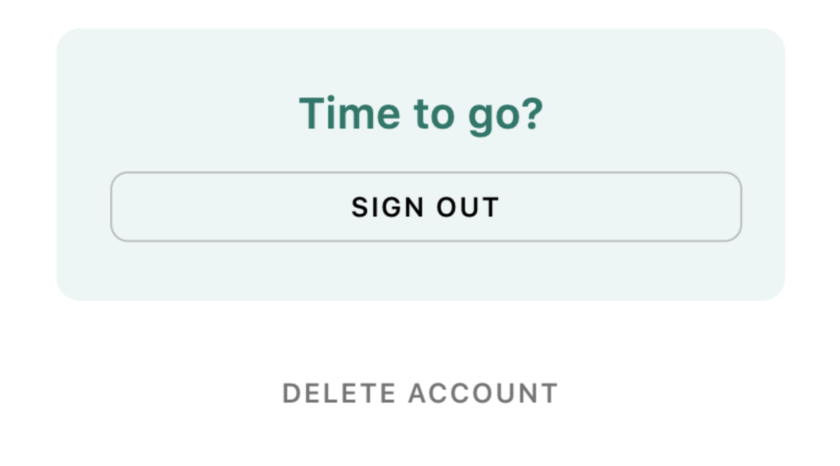
Use a button with Adalo's Log Out action, followed by a link to the Log In screen. Do not use the automatic session created by Sign Up as proof that a later Login action works.
Step 6: Test Preview and published web separately
Enter the same test credentials in Preview, then open the published web URL in a private browser window and repeat the login. Record which environment fails and the exact time of the test.
Step 7: Test one more user
Repeat with a second new account. If only one account fails, treat it as a credential or user-record problem. If every clean account fails, focus on the action setup or platform state.
Step 8: Escalate with a useful recording
If the clean setup still fails, record the visible input names, Login action mappings, Sign Up action, logout path, Users record email, Preview result, and published-web result. Hide every password, then send the recording and test time to Adalo Support.
The underlying logic
A user row proves that an account record exists. It does not let an administrator verify the saved password because Adalo keeps that property encrypted.
The Sign Up action creates the account and starts a session. Actions that work immediately after sign-up prove that the new session exists, but they do not prove that a later Login action reads the right inputs.
The invalid email or password message is a general authentication failure. The same message can appear when a username is used instead of an email, an input is mapped incorrectly, one user's credentials are wrong, or the authentication service is unavailable.
Testing the same account in Preview and on the published web URL changes one major variable. That comparison is more useful than repeatedly rebuilding the same screen without recording the result.
What still needs checking?
- Adalo's current docs still describe Preview as a place to test an app and a published web URL as the way to share it with users.
- Current public documentation does not identify valid email-and-password login failure as a normal Preview limitation.
- The September 2026 source thread remains open without a confirmed reproduction or solution.
Why the user record is not enough
Seeing the email in the Users collection confirms that a record was created. It does not confirm the password. Adalo marks the Password property as encrypted, so the maker and the user cannot read it back from the database.
That is why a clean signup, logout, and login test is stronger than comparing the password to the Users table.
Why sign-up can work while login fails
Sign Up does two jobs: it creates a user and starts a logged-in session. The app can immediately perform logged-in actions even if the separate Login button later reads the wrong input or uses a different authentication path.
Always end the signup session and test the Login action as its own step.
Is this a Preview-only limitation?
There is not enough evidence to say that. Adalo's current documentation describes Preview as a place to test an app. It says a published web app is the version to share with users, but it does not list failed native email login as an expected Preview restriction.
Test both environments with the same clean account. If only Preview fails, you have a focused report. If both fail, keep looking at the action setup, the user record, or the service state.
When to contact Adalo Support
Stop rebuilding screens when two clean accounts fail with freshly mapped inputs in both Preview and the published web app. At that point, a short recording is more valuable than another workaround.
Show the Login action, input mappings, signup result, logout action, masked Users record, both test URLs, browser name, and test time. Never show or send the password.
Common failure modes
Use the account's email in the native Login action. A previous forum case with the same message was resolved after the maker stopped trying to log in with a username.
Delete the Login action itself, add a fresh Login action, and map it to the two visible inputs. Renaming or rebuilding the screen does not always prove that an old Magic Text binding was replaced.
Treat sign-up and login as separate tests. Confirm the Sign Up action saved the intended email, then use the normal Log Out action before testing the Login action with the same exact email.
Create another clean account and compare. Because the stored password cannot be viewed, reset that user's password or replace the disposable test account instead of guessing what was saved.
Record both results and report it as a Preview-specific case. Keep testing the real user journey on the published web URL while Adalo reviews the Preview behavior.
Check Adalo's status page, remove extra Login-screen actions, and test the default authentication flow. If the failure continues, send Adalo Support the app link, recording, browser, and exact test time.
Testing checklist
0 of 13 checked on this device
Current limitations
- The source forum thread is unresolved and does not include the requested builder recording, so the exact cause is unknown.
- The editorial team did not reproduce this login failure in the source app or confirm whether it also affects a native store build.
- Older forum workarounds show possible causes, not guaranteed fixes for the current Adalo version.
- Passwords are encrypted in Adalo and cannot be read back from the Users collection, even by an administrator.
Screenshot evidence
These captures document what Adalo currently publishes and what builders are reporting. They support the written guidance, but they are not a substitute for an end-to-end test in your own app.
What the Adalo community is reporting
These are concise editorial summaries of public forum posts, not endorsements or independently reproduced results.
Invalid email or password for a freshly registered user
A maker reports that native sign-up creates the user and starts a session, but a later login with the same credentials fails in Preview and a share link. The helper asks for a screen recording of the builder and preview setup.
Boundary: The thread has no accepted solution, screen recording, or confirmed reproduction, so it does not establish a Preview bug.
MonicaEGF and Dilon · September 2026
Frustrating login problem
A similar error was resolved when the maker found that the login used a username instead of the account email.
Boundary: This is an older, different setup and is only evidence that the same message can have more than one cause.
LuisNavarro and community replies · February 2022
When clicking on Login in the embedded previewer
One maker reported success after logging the current user out when the Login screen opened.
Boundary: The source thread already tried this workaround without success, so it should not be presented as a universal fix.
bakerofideas · April 2020
Sources and status
This page was last reviewed on Sep 23, 2026. Its current status is Documented from current sources.
Verification owner: Erin Heart and Ana Morgan. Next review: Dec 23, 2026.
- Adalo forum: Invalid email or password for a freshly registered user
- Adalo: Screens and default authentication flow
- Adalo: Preview Your App
- Adalo: Users collection and encrypted passwords
- Adalo: Account Settings and Sign Out
- Adalo: Xano user sign-up and login
- Adalo Status
- Adalo forum: Username mistaken for email
- Adalo forum: Login-screen logout workaround
Changelog
Published a source-backed diagnostic guide for valid users receiving Adalo's invalid email or password message.
Automatically organized and maintained by the Adalocado editorial team under the editorial and verification policy.
Report this answer.
Automated Answers still pass evidence and publication checks, but they can be wrong, outdated, unclear, or missing an important boundary. Send the exact correction and the editor will check the live page.
Did this solve your problem?
One-click check
We’ll handle the tech. You can exhale.
Bugs fixed. Updates shipped. Publishing handled.
$97/mo for your first 3 months.
Cancel anytime. That’s about 90% off the usual cost. 🤯
- Bug fixes and troubleshooting
- App updates and integrations
- Publishing and store releases
Bring us the messy version.
Describe what you expected, what happened instead, and what you already tried.