How does conditional visibility work in Adalo?
Show or hide components based on user data, record values, inputs, dates, and other conditions—and debug the common gotchas.
Short answer
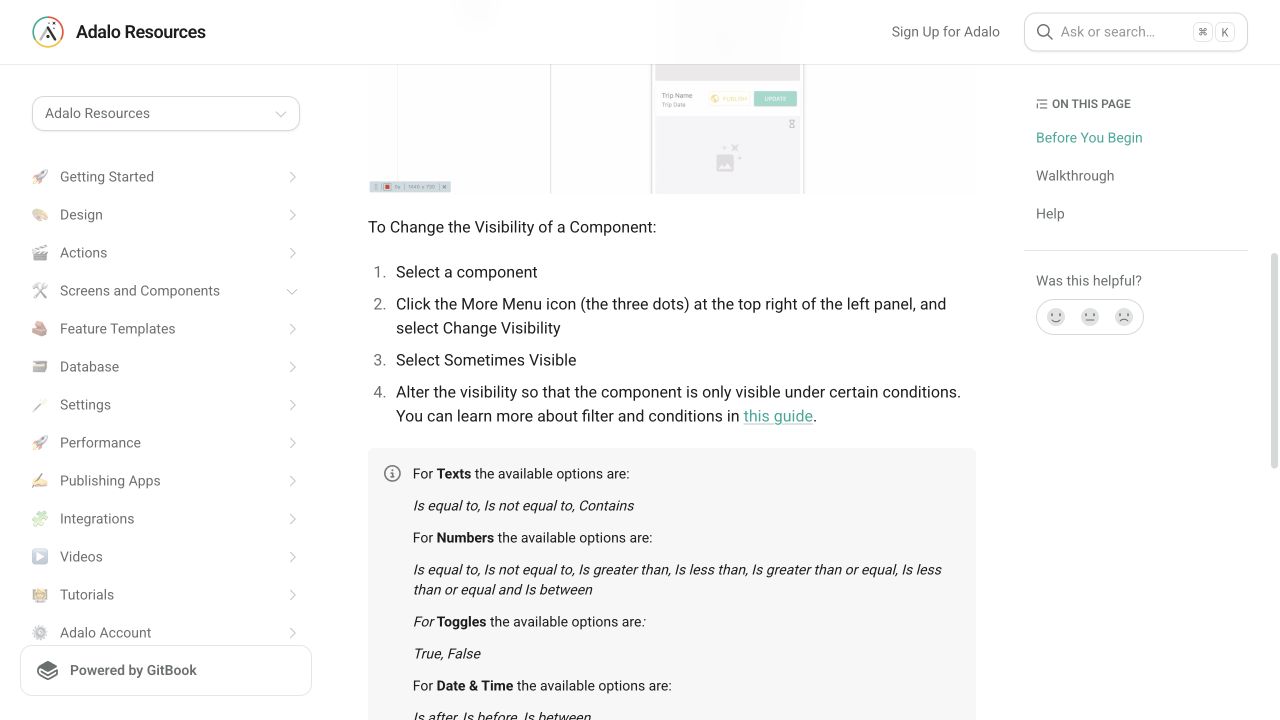
Select the component, open its More menu, choose Change Visibility, set it to Sometimes Visible, and define the condition. The component appears only when that condition evaluates to true.
Original walkthrough
Jul 3, 2021
The intended outcome
A component whose visibility follows one clear, testable rule without breaking the surrounding layout.
Conditional visibility evaluates one accessible value and shows the component when the expression is true. Use the smallest component that needs to change, test both sides with deliberate sample data, and verify layout reflow. Hiding a button does not secure an action or record; sensitive behavior still needs appropriate product and backend safeguards.
Requirements
- A component to control
- A data or component value to evaluate
- Sample records for both true and false states
Step by step
Step 1: Select one component
Start with the smallest element whose visibility should change. Grouped components can hide more than intended.
Step 2: Open visibility settings
Open the component’s More menu, choose Change Visibility, and switch from Always Visible to Sometimes Visible.
Step 3: Choose the available value
Select a value the component can actually access: logged-in user data, current record data, or another component’s input.
Step 4: Define one condition
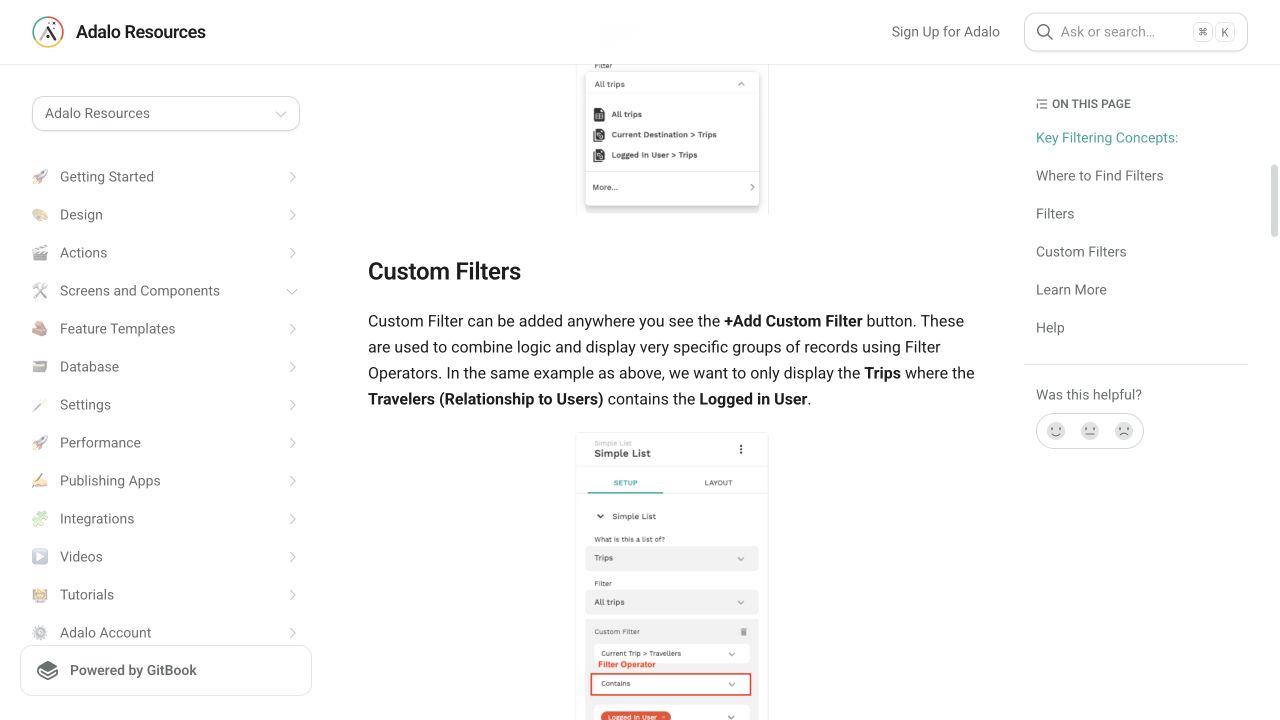
Choose the operator that matches the property type and define the value that makes the component visible.
Step 5: Test both sides
Preview once with the condition true and once with it false. Confirm both behavior and layout reflow.
The underlying logic
Conditions are boolean: the expression is either true or false.
Visibility does not filter data; it controls one component’s presence.
Adalo lays screens out top-to-bottom, so hidden elements can affect how later components occupy space.
Data model
| Collection | Important properties | Relationships |
|---|---|---|
| Users | Role, Onboarding Complete | Relates to the records the user may operate |
| Items | Status, Published | Belongs to an owner |
What changed?
- Current documentation places visibility under the component More menu and Sometimes Visible state.
Visibility and private data are separate checks
Visibility controls the interface. Collection Permissions restrict which records can be read or changed. A hidden button or filtered list does not prove that private data is protected; configure the database policy separately.
Use Alex and Sam as separate test users. Give each one private record and try opening the other record directly, as well as through the list. The intended owner-only result is denied access to the other user's record. This is a test to perform in your app, not a current-builder result reproduced here.
A minimal visibility test
Use two Items with the same fields and different Published toggle values. Apply one visibility rule to one component. The expected result is visible for true and hidden for false; check any empty value separately and then leave and return to the screen.
On October 29, 2026, we reproduced this rule in a disposable Classic responsive app: Published Is true showed the label for Alpha (true) and hid it for Beta (false). Count greater than 0 showed Alpha (1) and hid Beta (0). Count equal to Empty matched Gamma's blank number and did not match Beta's zero. Gamma's untouched toggle reopened as False; we did not establish a separate blank Boolean state.
A Category → Name equal to Empty rule showed the label for Beta's missing Category and settled hidden for Alpha's Example category. Displaying that related Name in the row and detail confirmed the record context. An early detail render briefly retained the empty-category indicator before settling; wait for the compared value to load before judging the rule. This test does not distinguish a missing Category from an existing Category with a blank Name.
The saved Published rule still matched Alpha/Beta after leave/return and refresh. At browser sizes 390×844 in mobile Preview and 1280×900 in desktop Preview, the return control stayed usable and accepted Enter. Tab order visited retained background list rows before reaching it, so this is not a clean focus-isolation result. These observations apply only to Classic staging Preview; Ada, native builds, published targets and private-record access were not tested. The attached documentation/forum screenshots retain their original capture dates.
Common failure modes
Test: display the compared value in a temporary text component and switch between known true and false records. Fix: select data available on this screen and an operator appropriate to its property type; check the exact comparison value before adding more conditions.
Test: use separate records for a missing value, numeric 0 and a positive number; test a false toggle separately from a missing relationship. Fix: choose a condition for the intended property type and handle missing data explicitly rather than treating every empty state as zero or false.
Test: toggle between known true and false records, then leave and return to the screen at narrow and wide widths. Fix: review neighboring groups and alignment; paired visible and hidden states should leave the surrounding controls usable.
Choose the next debugging step
If records are missing from the list itself, check the list’s collection and filters first.
For results that should belong to one user, check user and relationship filters, then verify Collection Permissions separately.
Still stuck after these checks?
Describe the last test that passed, the first one that failed, and whether it happened in Preview or a published app. Use synthetic data and leave out passwords and private records.
Testing checklist
0 of 8 checked on this device
Current limitations
- Visibility is presentation logic and must not be treated as authorization or data security.
Screenshot evidence
These captures document what Adalo currently publishes and what builders are reporting. They support the written guidance, but they are not a substitute for an end-to-end test in your own app.
What the Adalo community is reporting
These are concise editorial summaries of public forum posts, not endorsements or independently reproduced results.
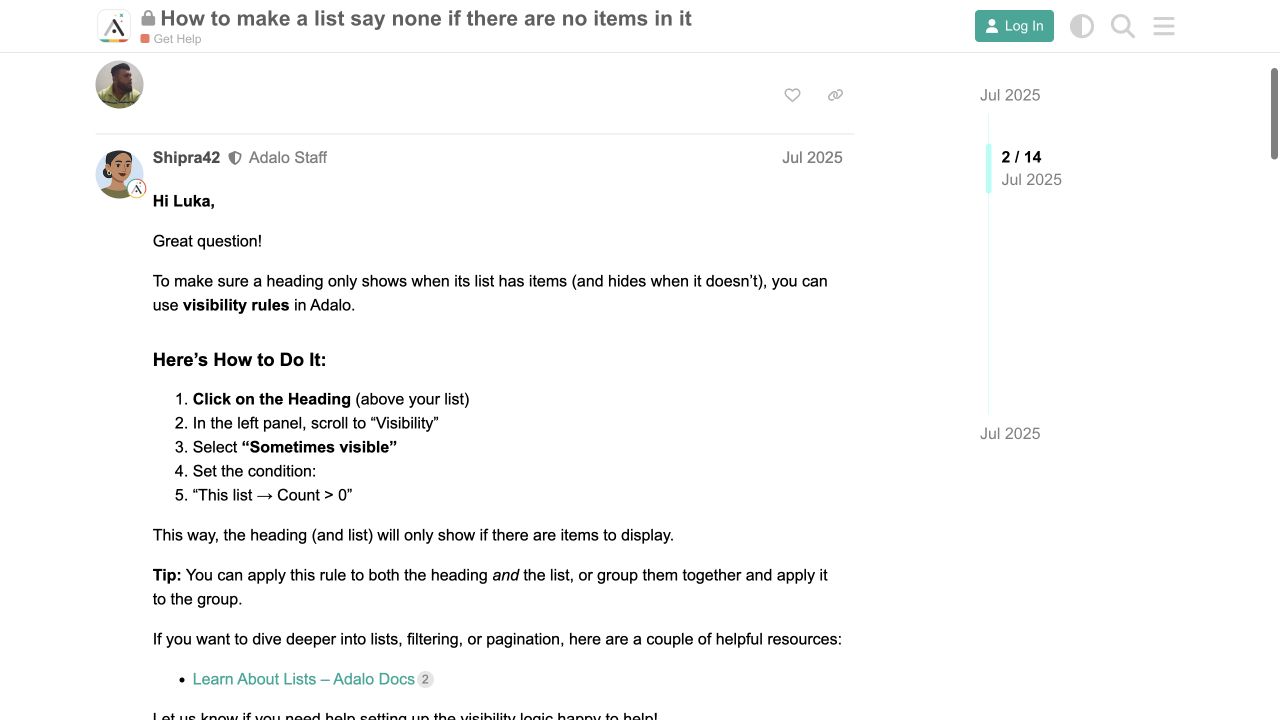
How to make a list say none if there are no items in it
Forum replies describe using Sometimes Visible with a list count and also point to the simple list empty-state feature.
Boundary: Replies disagree about where some list-count options appear, so exact menu availability can vary by component.
Shipra42 and community replies · July 2025
Sources and status
This page was last reviewed on Oct 29, 2026. Its current status is Verified from current public evidence.
Verification owner: Adalocado editorial. Next review: Nov 12, 2026.
Changelog
Added dated synthetic Classic staging Preview results and explicit limits. Retained public-source screenshot provenance and verification classification; no Ada, published-target or private-access verification claimed.
Checked official visibility and Collection Permissions guidance; added explicit expected outcomes for visibility and private-record tests. Current-builder reproduction remains pending.
Added current visibility screenshots and a July 2025 forum implementation report.
Written and maintained by the Adalocado editorial team under the editorial and verification policy.
Did this solve your problem?
One-click check
We’ll handle the tech. You can exhale.
Bugs fixed. Updates shipped. Publishing handled.
$97/mo for your first 3 months.
Cancel anytime. That’s about 90% off the usual cost. 🤯
- Bug fixes and troubleshooting
- App updates and integrations
- Publishing and store releases
Bring us the messy version.
Describe what you expected, what happened instead, and what you already tried.