Short answer
Choose the collection under “What is this a list of?”, prove the unfiltered records, bind each field to Current [record], and only then add one filter at a time. Use a native list unless the layout truly requires a custom one.
Check your resultOriginal walkthrough
Jul 3, 2021
The intended outcome
A list that shows the intended collection, presents useful fields, opens the right detail record, and handles an empty result.
Treat a list as a query before treating it as a design element. Connect it to the correct collection, prove the expected records appear, bind repeated fields to the current record, and only then add sorting and one filter at a time. Use AND when every rule must pass and OR when any rule may pass. Prefer a native list when it can support the layout, and enforce private data with Collection Permissions rather than trusting a visual filter. This sequence separates data, access, query, and layout failures.
Requirements
- A collection with sample records
- A screen that can access the data
- Understanding of Magic Text
Step by step
Step 1: Add the lightest suitable list
Start with a native list that can express the row. Adalo’s current performance guidance reserves custom lists for layouts the native choices cannot support.
Step 2: Choose its collection
Set “What is this a list of?” to the collection whose records should repeat.
Step 3: Bind the visible fields
Select each text or image inside the list and use Current [record] Magic Text to display the correct property.
Step 4: Add one filter at a time
Prove each custom filter alone, then combine them deliberately: AND requires every rule, while OR allows any rule to qualify.
Step 5: Sort and link
Choose a stable sort, then link the repeated item or button to a detail screen while passing Current [record].
Step 6: Design the empty state
Explain why no records are visible and provide the most useful next action.
The underlying logic
A list repeats one design for every record returned by its query.
Filters decide which records enter the list; visibility decides whether one component appears.
Collection permissions decide whether the data may be returned at all; a visual filter is not an authorization boundary.
Custom and nested lists increase layout freedom but add query and rendering work.
Data model
| Collection | Important properties | Relationships |
|---|---|---|
| Items | Name, Description, Status, Created Date | Belongs to one owner and optionally one category |
| Categories | Name, Sort Order | Has many items |
What changed?
- Current documentation supports multiple list filters with explicit AND or OR behavior.
- The refreshed guide now distinguishes empty data, empty filtered results, and empty relationships, with a repeatable query-debugging ladder.
Start with the query
Treat the list as a query before treating it as a visual component. Prove the right records are returned, then style the repeated row.
Use a fixed diagnostic ladder when a list is wrong: confirm sample records exist, remove every filter, verify the collection, bind one plain-text property from the current record, restore one filter at a time, and only then restore the final row design. Each step changes one variable, so the first failure identifies the layer to investigate.
Filters, conditions, and permissions
Filters refine groups of records. Conditions control whether an action runs or a component appears. Collection Permissions control who can read or change the underlying records. Mixing those responsibilities makes debugging unnecessarily hard—and relying on a visual filter for privacy leaves the data rule in the wrong layer.
Relationship filters require both sides of the comparison to contain the expected records. Current Adalo documentation says logical relationship comparisons are limited to one-to-many shapes; many-to-many needs a different query shape or a join collection. When a relationship may be empty, test that state explicitly rather than assuming it behaves like text or false.
A useful empty state
An empty list is not always an error. Distinguish no data yet, no match for the current filters, and data the current user is not allowed to see. Give each state one accurate explanation and a recovery action such as clearing filters, creating the first record, or returning to a broader view.
Performance discipline
Adalo’s current performance guidance recommends native lists over custom lists when practical and warns that lists inside lists can become expensive. Each extra filter, nested relationship, and repeated component adds work, so keep rows lean and move secondary information to a detail screen.
Use a stable sort property so records do not jump unexpectedly between visits. Test long names, missing images, a realistic larger dataset, and an intentionally empty collection; those cases expose layout, query, and accessibility failures that ideal sample data hides.
What we reproduced in Classic Preview
On October 29, 2026, we tested a native Simple List in a disposable Classic responsive app with three synthetic Items: Alpha (Active, User A), Beta (Draft, User A), and Gamma (Active, User B). The unfiltered list showed all three; each row passed Current Item to its matching detail screen. Active alone returned Alpha/Gamma, the owner Email filter alone returned Alpha/Beta, AND returned Alpha, and OR returned all three.
In this Classic editor, the AND button inside an existing filter group joined its predicates. Add custom filter created a separate OR group. An unmatched Status showed the native empty message; removing that predicate in the builder restored the rows. Category → Name equal to Empty matched Beta/Gamma, whose Category relationships were missing. This comparison does not distinguish a missing relationship from an existing Category with a blank Name.
These are authenticated staging Preview observations, not Ada, native-build, published-app or private-access results. The exact Classic release number was not displayed. The owner Email comparison was a literal query against synthetic data; separate app-user access denial was not tested.
A small fixture you can check
Create two test users, Alex and Sam, and three Items: A owned by Alex, B owned by Sam, and C with no owner. Start with a plain Name field and no visual filters. Then apply the intended owner filter and configure Collection Permissions separately.
For an owner-only policy, the expected result is A for Alex, B for Sam, and neither private record for a signed-out visitor. Decide deliberately who can read the ownerless record. Try opening the other user's detail record directly. This is a proposed verification fixture, not a result reproduced by Adalocado in the current builder.
Common failure modes
Test: remove custom filters and display only the current record’s Name. Fix: if records return, restore one filter at a time and check its property type and comparison value. If the unfiltered list stays empty, check sample records, the selected collection, screen data and Collection Permissions before changing the layout.
Test: give two sample records different Names and display Name alone in the repeated row. Fix: bind it to Current [record] rather than screen-level or logged-in user data; then restore the other row fields.
Test: compare one known Name with the search input, including case and extra spaces. Fix: use an exact match when that is intended; use Contains for partial text search. Prove the text filter alone before combining it with owner or status filters.
Test: use separate synthetic users and attempt to open each other’s private detail record directly. Fix: correct Collection Permissions and the relationship to Users. An owner filter changes the list result; it does not replace database access rules.
Choose the next debugging step
If the correct records appear but a component stays hidden, test its conditional visibility.
For results that should belong to one user, check user and relationship filters, then verify Collection Permissions separately.
Still stuck after these checks?
Describe the last test that passed, the first one that failed, and whether it happened in Preview or a published app. Use synthetic data and leave out passwords and private records.
Testing checklist
0 of 9 checked on this device
Current limitations
- Deep relationship filters, custom rows, and nested lists can create performance costs.
- Component filters shape the visible result; they do not replace Collection Permissions.
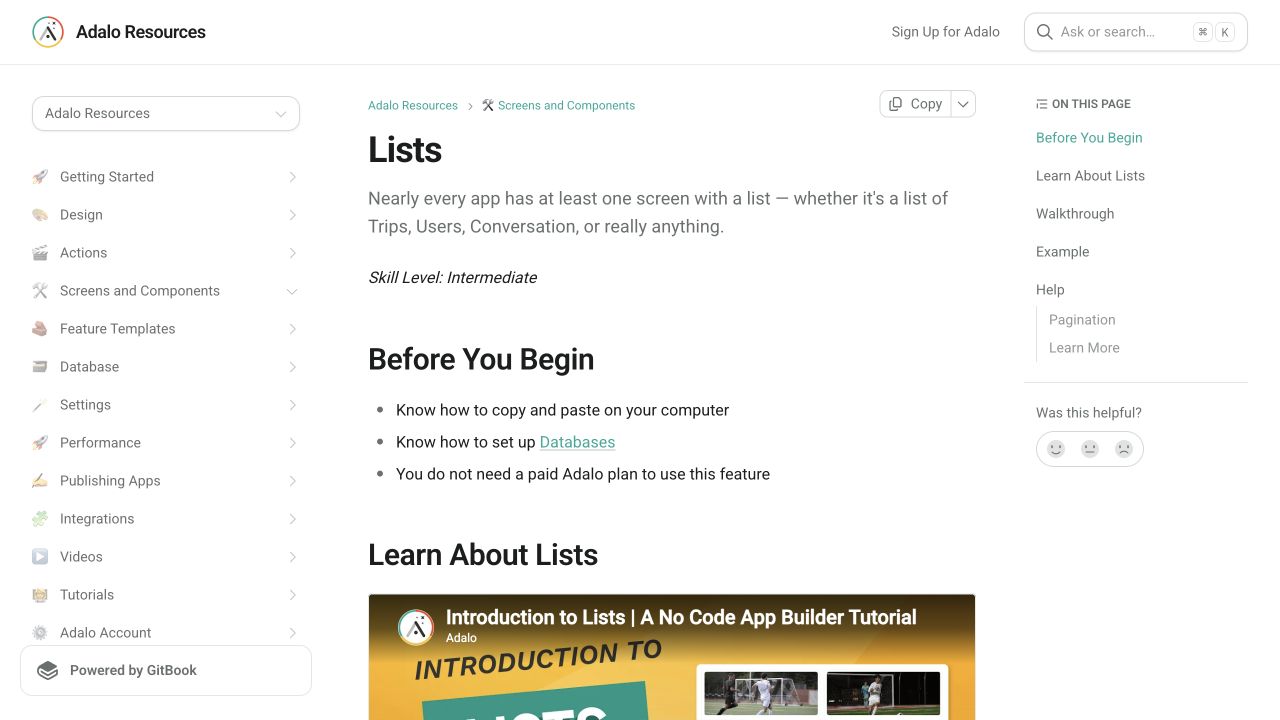
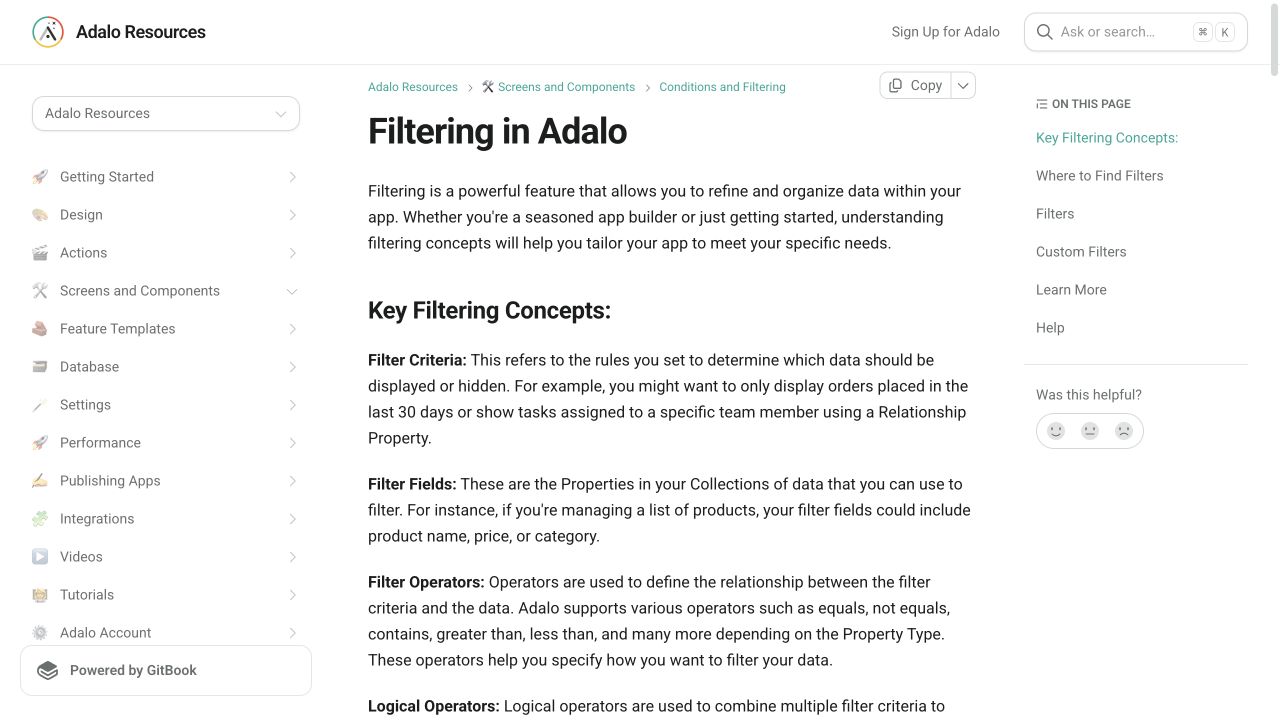
Screenshot evidence
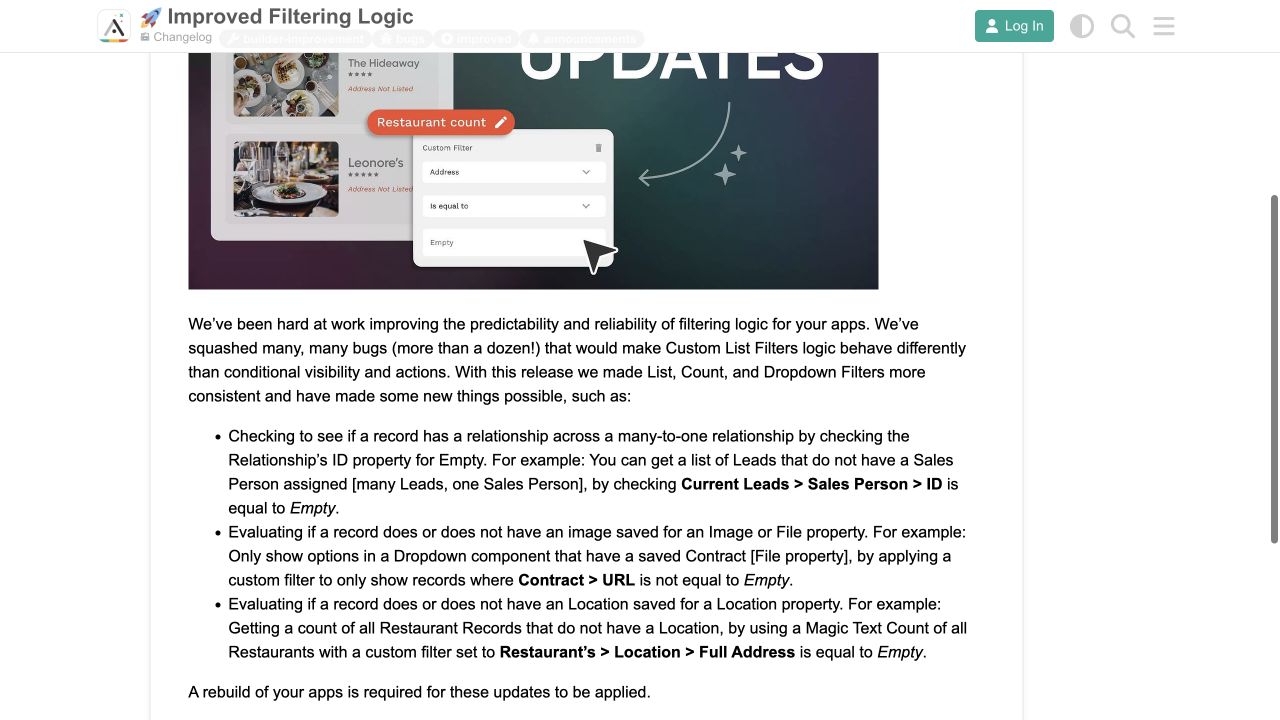
These captures document what Adalo currently publishes and what builders are reporting. They support the written guidance, but they are not a substitute for an end-to-end test in your own app.
What the Adalo community is reporting
These are concise editorial summaries of public forum posts, not endorsements or independently reproduced results.
Improved Filtering Logic
The changelog says list, count, and dropdown filters were made more consistent and added checks for empty relationships, files, images, and locations.
Boundary: The post says affected apps require a rebuild; existing published builds may not inherit the behavior automatically.
Adalo system · March 2024
Sources and status
This page was last reviewed on Oct 29, 2026. Its current status is Verified from current public evidence.
Verification owner: Adalocado editorial. Next review: Nov 12, 2026.
Changelog
Added dated synthetic Classic staging Preview results and explicit limits. Retained public-source screenshot provenance and verification classification; no Ada, published-target or private-access verification claimed.
Checked the official list and Collection Permissions guidance; added a proposed owner-access test fixture and links to visibility, user filters and search. Current-builder reproduction remains pending.
Added native-list performance guidance, explicit AND and OR behavior, and the Collection Permissions security boundary.
Added a six-stage query debugging ladder, empty-state taxonomy, relationship-filter boundary, and resilient row testing guidance.
Added current official screenshots and Adalo’s filtering changelog as public evidence.
Written and maintained by the Adalocado editorial team under the editorial and verification policy.
Did this solve your problem?
One-click check
We’ll handle the tech. You can exhale.
Bugs fixed. Updates shipped. Publishing handled.
$97/mo for your first 3 months.
Cancel anytime. That’s about 90% off the usual cost. 🤯
- Bug fixes and troubleshooting
- App updates and integrations
- Publishing and store releases
Bring us the messy version.
Describe what you expected, what happened instead, and what you already tried.