Short answer
Start with the data your app needs, then create screens that display or change that data. In Adalo, components provide the interface, actions create behavior, and collections store records.
Check your resultOriginal walkthrough
Jul 3, 2021
The intended outcome
A mental model for planning a small Adalo app before committing to screens or database relationships.
Start with one complete loop: a person sees a record, changes it, and confirms that the change persisted. Screens provide context, components provide the interface, collections hold records, and actions create change. This page uses a 2021 walkthrough for that mental model; it is not a click-by-click guide to today's responsive builder. Adalo also has a separate, limited-access Ada beta that starts from a prompt. Follow the path shown in your own account, and use current Adalo documentation for control names until the corresponding workflow has been reproduced here.
Requirements
- An Adalo account
- One simple app idea
- About 45 minutes if following the 2021 video
Step by step
Step 1: Write the user’s job
Describe the one useful thing the person should accomplish. Keep the first build smaller than your full product idea.
Step 2: List the nouns
Turn the important nouns—Users, Events, Orders, Messages—into candidate collections. Properties describe each record.
Step 3: Draw the screen flow
Identify where someone starts, what list they browse, what detail they open, and what they create or update.
Step 4: Connect components to data
Use lists for groups of records, Magic Text for record properties, and forms or actions to create and update records.
Step 5: Test one complete path
Preview the app and complete one realistic journey before adding secondary features.
The underlying logic
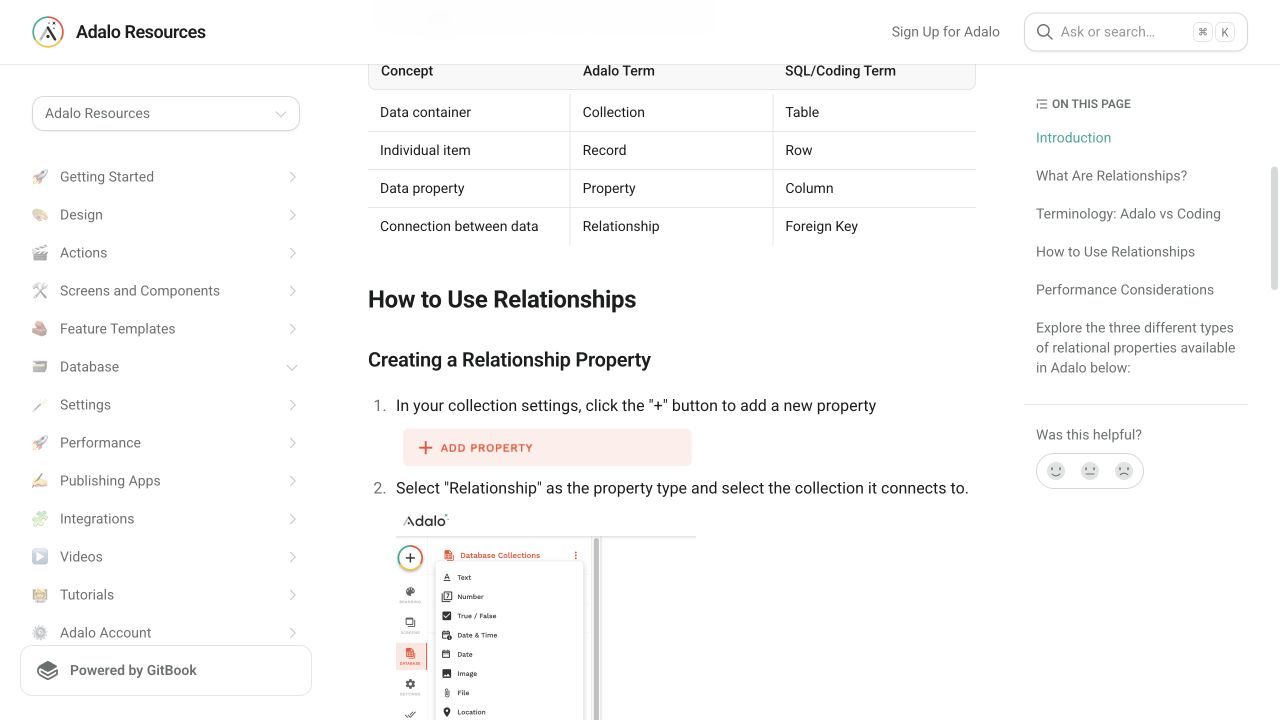
Collections are tables, records are individual items, and properties are the values stored on those items.
Screen data determines which record a detail screen can show. A link from a list item usually carries the selected record forward.
Actions are the bridge between interface and state: they navigate, create, update, delete, or call connected services.
Data model
| Collection | Important properties | Relationships |
|---|---|---|
| Users | Email, Full Name, Role | Has many records owned by the user |
| Example records | Name, Status, Created Date | Belongs to one user |
What changed?
- Use the current Help Center terminology when an exact 2021 menu or control has moved.
Choose the builder path you actually have
The 2021 video is useful for the screens–components–collections–actions model, but its control locations are historical. Adalo's current Help Center distinguishes the responsive builder from older Legacy Builder apps. Its September 2026 documentation describes a separate Ada beta that builds from a prompt. These are not interchangeable click paths; identify which experience your account opens before following instructions.
Plan before the canvas
A fast builder can make it tempting to place components immediately. A five-minute model of the user, records, and screen flow usually prevents much longer rebuilds.
The four building blocks
Screens create context. Components create interface. Collections create memory. Actions create change. Most Adalo questions become easier once you identify which of those four is responsible.
Build the smallest complete loop
A useful first milestone is not a polished home screen. It is one complete loop: see a relevant record, change something, and confirm the change persisted. Add sign-in when the app's actual user journey needs it. Test an empty collection, a saved record, and the selected record on its detail screen rather than trusting a visually convincing preview alone.
Common failure modes
Check which record the link sends and confirm the destination screen lists that collection under Available Data.
Confirm that the current screen or component has access to the correct record or relationship.
Use the video for concepts, then follow current Adalo labels. This guide does not claim the 2021 UI is current.
Treat it as a separate workflow. Ada starts from a prompt; do not copy 2021 menu clicks into the beta builder. Review the generated data, screens, and preview before relying on the result.
Testing checklist
0 of 6 checked on this device
Current limitations
- The 2021 video is conceptual evidence, not proof of the current builder interface.
- The new Ada beta at friendsofadalo.adalo.com is a separate path; its complete first-app workflow is still being tested.
Screenshot evidence
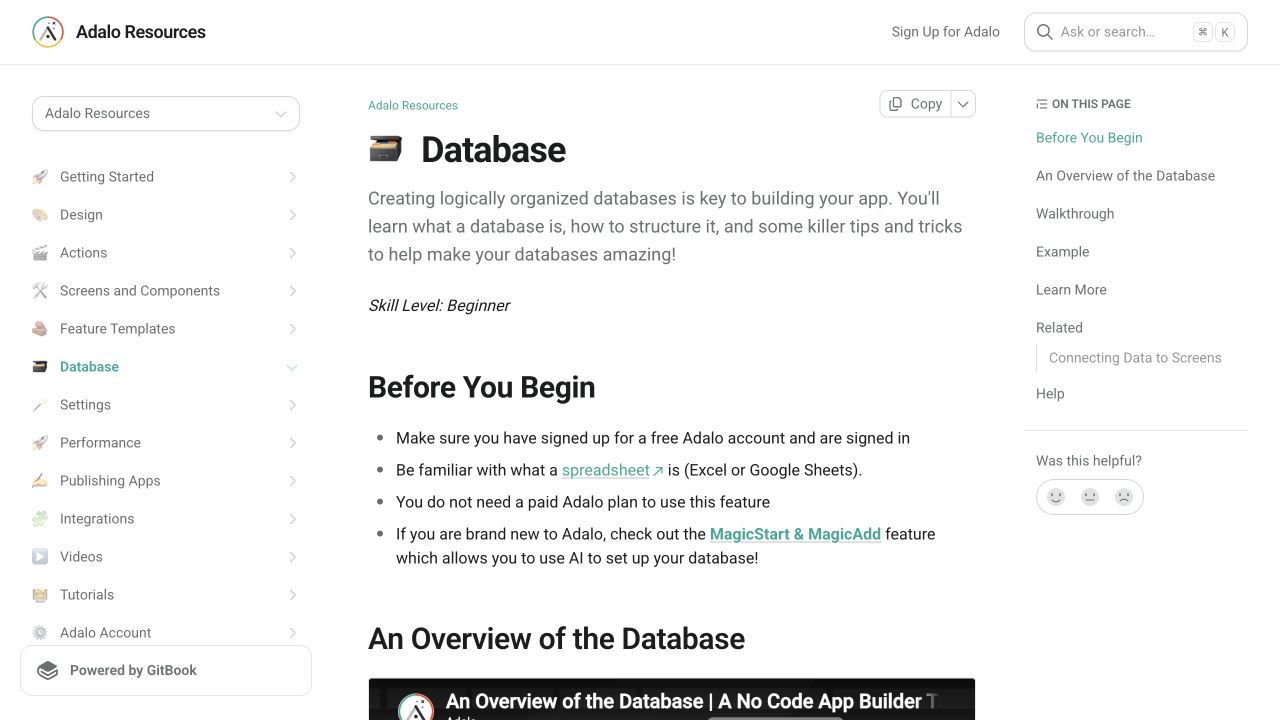
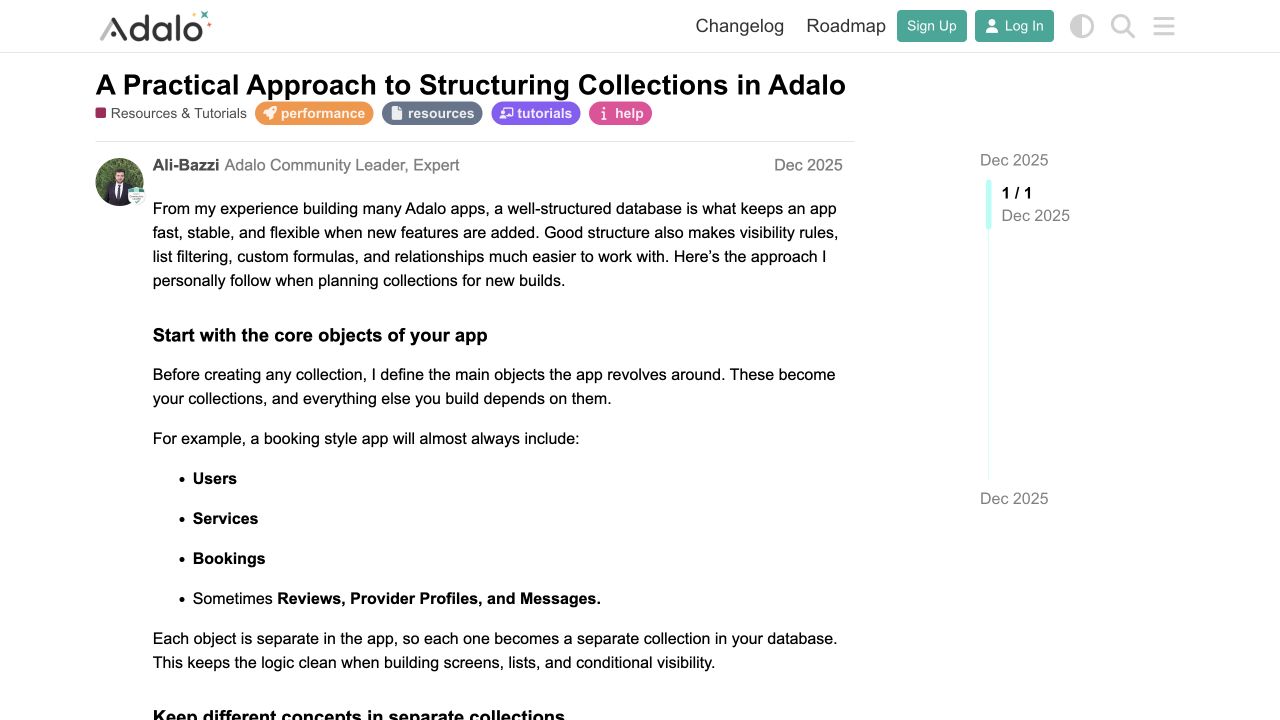
These captures document what Adalo currently publishes and what builders are reporting. They support the written guidance, but they are not a substitute for an end-to-end test in your own app.
What the Adalo community is reporting
These are concise editorial summaries of public forum posts, not endorsements or independently reproduced results.
A practical approach to structuring collections in Adalo
The guide recommends defining core objects as separate collections, keeping user roles explicit, and planning structure before building screens.
Boundary: This is practitioner guidance, not an official product guarantee or an end-to-end test of this beginner project.
Ali-Bazzi · December 2025
Sources and status
This page was last reviewed on Oct 12, 2026. Its current status is Verified from current public evidence.
Verification owner: Adalocado editorial. Next review: Nov 12, 2026.
Changelog
Connected the first-app guide to lists, visibility and user filtering as the next tasks; retained the historical-video and hands-on verification boundaries.
Separated the 2021 walkthrough, current responsive builder, and new Ada beta; retained the hands-on verification limit.
Added dated official screenshots and a recent forum finding under the public-evidence standard.
Written and maintained by the Adalocado editorial team under the editorial and verification policy.
Did this solve your problem?
One-click check
We’ll handle the tech. You can exhale.
Bugs fixed. Updates shipped. Publishing handled.
$97/mo for your first 3 months.
Cancel anytime. That’s about 90% off the usual cost. 🤯
- Bug fixes and troubleshooting
- App updates and integrations
- Publishing and store releases
Bring us the messy version.
Describe what you expected, what happened instead, and what you already tried.