Short answer
A fallback is the backup destination for a deep link. If the app is installed, the link should open the chosen app screen. If it is not installed, Adalo can open the same screen in the browser-based PWA or send the person to a custom iOS or Android URL.
Check your resultThe intended outcome
A deep link with a clear backup path, so people who do not have the app installed still land somewhere useful.
Set the destination screen first, then choose the backup path. Use the PWA when the browser version can still help the person. Use separate iOS and Android URLs when the next step should depend on the device. Most important, test the exact same link with the app installed and uninstalled. That is the only way to confirm both journeys make sense.
Requirements
- A published Adalo app with a screen you want to open
- A route name set in that screen's Deep Linking settings
- A browser PWA or final HTTPS fallback URLs for iOS and Android
- At least one real device for the installed and uninstalled tests
Step by step
Step 1: Set up the screen link first
Select the destination screen's name in the builder, open Deep Linking, give the screen a short route name, and copy the generated URL. Preview links do not support this test.
Step 2: Decide what the backup should do
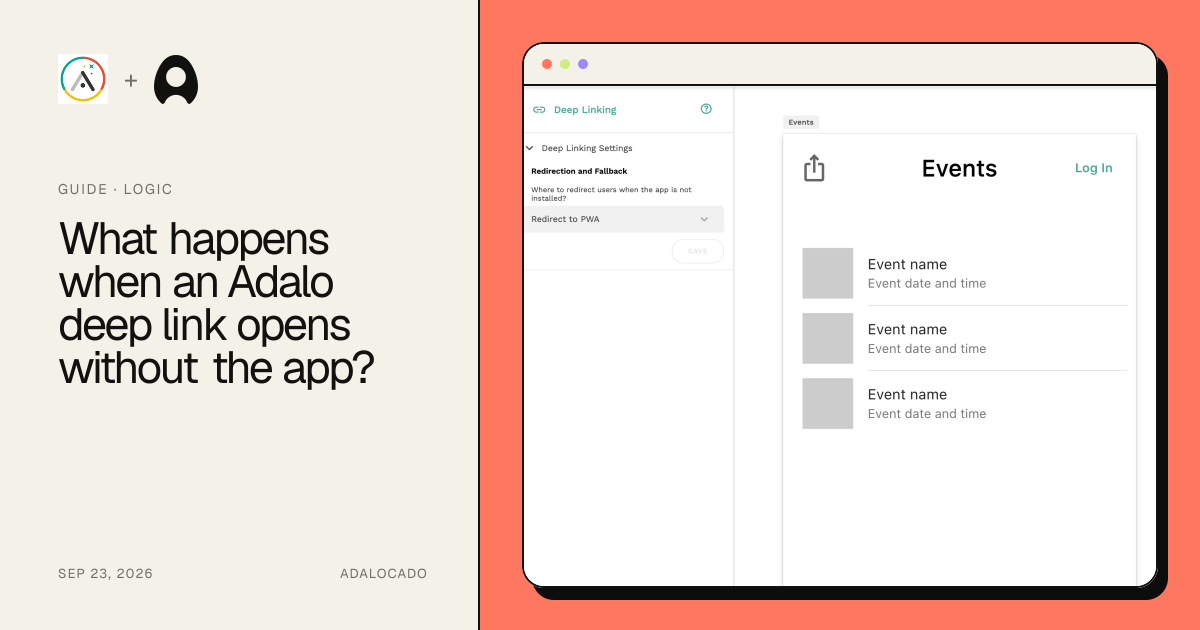
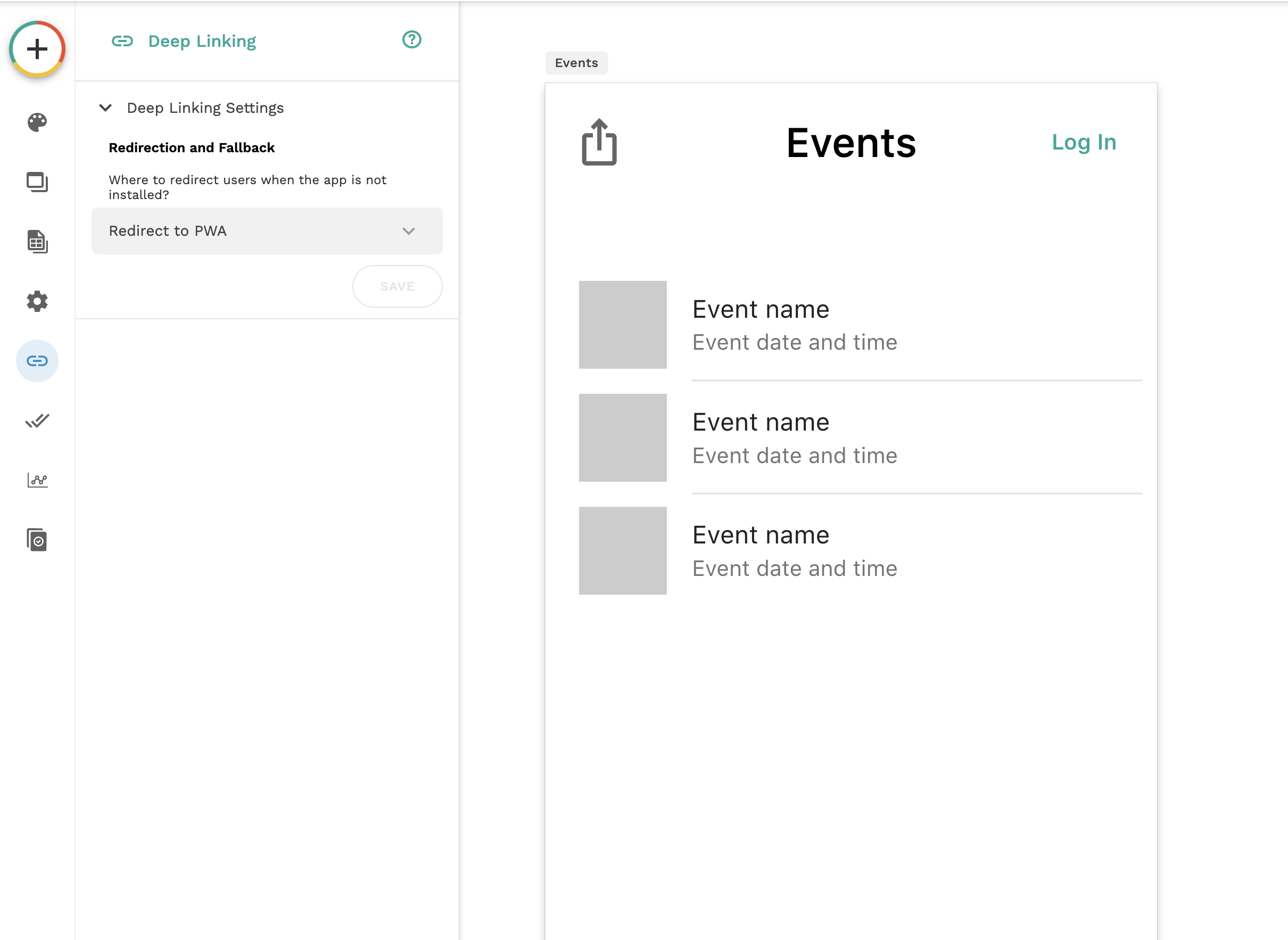
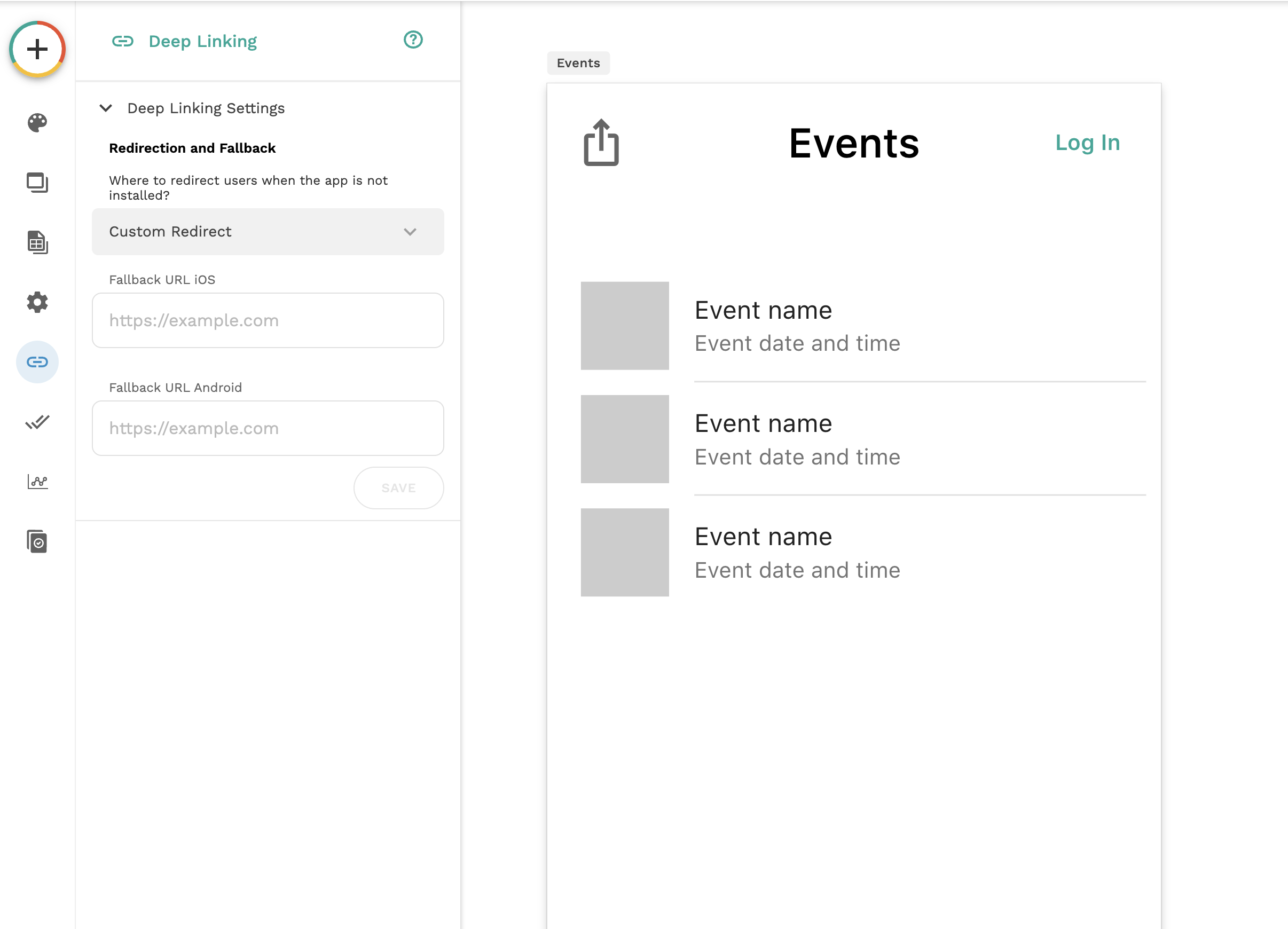
Choose Redirect to PWA when the browser version of the same screen is useful. Choose Custom Redirect when people should go somewhere else, such as the correct app-store page.
Step 3: Add the fallback
In Deep Linking Settings, open Redirection and Fallback. Select Redirect to PWA, or select Custom Redirect and enter the complete HTTPS URLs for iOS and Android.
Step 4: Save the screen settings
Save the deep-link configuration, then use the copied screen URL wherever people will open or share it.
Step 5: Test both real-world paths
Open the same link once on a device that has the app and once on a device that does not. Confirm the first reaches the app screen and the second reaches the intended backup.
The underlying logic
A deep link has two possible journeys. The installed path tries to open a screen inside the native app. The fallback path takes over when that native app cannot open.
Redirect to PWA keeps the person in the same experience by opening the browser version. Custom Redirect gives you control over the destination for each mobile platform.
The fallback does not fix a wrong screen route, missing record data, or permission problem. Those issues must be tested separately.
Data model
| Collection | Important properties | Relationships |
|---|---|---|
| Optional linked record | The record ID or other value carried in the link | Must already be Available Data on the destination screen; no new collection is needed for a screen-only link |
What still needs checking?
- Adalo's current screen drawer includes a Redirection and Fallback choice with Redirect to PWA and Custom Redirect options.
Choose PWA or Custom Redirect
Use Redirect to PWA when the browser version can complete the same task. It is usually the smoothest choice for a public screen, a shared event, or content that does not require a native-only feature.
Use Custom Redirect when the browser experience is not enough. You can send iOS visitors to one URL and Android visitors to another. App-store listings are common choices, but a clear install page or support page can also work.
Think of it as two journeys
Do not test only the happy path. One person already has the app. Another person has never installed it. The same shared link should give both people a useful next step.
Write down the expected result for each journey before you test. This makes it much easier to tell whether the screen route, the fallback choice, or the destination URL is wrong.
A simple decision rule
Choose PWA if the web version is usable and you want people to reach the content quickly. Choose a custom store redirect if installing the native app is required for the task. Choose a regular web page only when it clearly explains what to do next.
Deep links with record data
A link can carry a record value, but the destination screen must already expect that data. For example, an event link needs the Event record to be Available Data on the event screen. A fallback does not create or repair that connection.
Common failure modes
Confirm the app is installed on that device and that you are testing the published deep link, not an Adalo Preview link. Then check the screen route and published app setup.
Recheck the full iOS and Android URLs. Test each one directly in the matching device browser before testing the deep link again.
Check that the destination screen has the record as Available Data and that the link includes the expected query parameter or record value.
Treat sign-in as part of the fallback journey. After login, verify that the user can still reach the intended screen and is allowed to read its data.
Testing checklist
0 of 9 checked on this device
Current limitations
- Adalo Preview links do not support deep linking, so a Preview-tab test cannot prove the final behavior.
- This guide is based on current public documentation and screenshots, not a complete test across every browser, device, and app-store state.
- A deep link can only show record data that the destination screen already has available and that the user is allowed to access.
Screenshot evidence
These captures document what Adalo currently publishes and what builders are reporting. They support the written guidance, but they are not a substitute for an end-to-end test in your own app.
Sources and status
This page was last reviewed on Sep 23, 2026. Its current status is Documented from current sources.
Verification owner: Adalocado editorial. Next review: Dec 23, 2026.
Changelog
Published a plain-language guide to choosing, configuring, and testing Adalo deep-link fallbacks.
Written and maintained by the Adalocado editorial team under the editorial and verification policy.
Did this solve your problem?
One-click check
We’ll handle the tech. You can exhale.
Bugs fixed. Updates shipped. Publishing handled.
$97/mo for your first 3 months.
Cancel anytime. That’s about 90% off the usual cost. 🤯
- Bug fixes and troubleshooting
- App updates and integrations
- Publishing and store releases
Bring us the messy version.
Describe what you expected, what happened instead, and what you already tried.