How do you build advanced search in Adalo?
Build transparent Adalo search with text input, Contains filters, structured filters, deliberate AND/OR rules, empty states, and repeatable diagnostics.
Short answer
Bind a list filter to a search input using a text Contains operator, then layer only the additional filters users need. Test each rule independently before combining them.
Original walkthrough
May 6, 2022
The intended outcome
A search experience that returns understandable results and handles empty queries.
Prove the base list before connecting the search input. Add one Contains rule, test realistic partial terms, and then layer only the structured filters users actually need. Contains is case-insensitive substring matching, not a relevance engine. Define empty-query, no-result, and reset behavior explicitly; use Collection Permissions for access control. If discovery requires fuzzy matching, ranking, or a large corpus, validate whether Adalo list filtering is still the right search layer.
Requirements
- Search input
- List connected to a collection
- Searchable text properties
Step by step
Step 1: Prove the base list
Make sure all expected records render before adding search.
Step 2: Add a search input
Give it a clear label or placeholder that names what can be searched.
Step 3: Filter with Contains
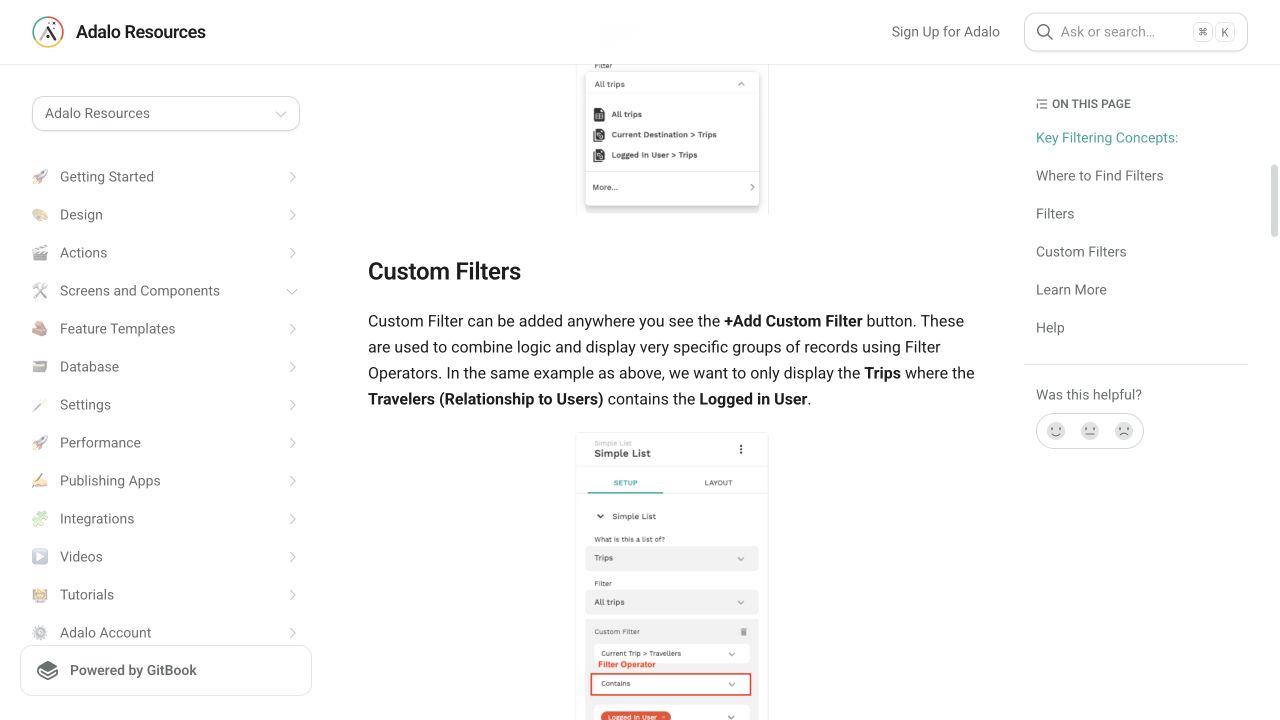
Compare a searchable property to the input value with Contains for ordinary text matching.
Step 4: Layer structured filters
Add category or status filters one at a time using deliberate AND/OR logic.
Step 5: Design no results
Show a useful reset or question path when nothing matches.
The underlying logic
Contains is case-insensitive and more forgiving than exact text equality, but it is substring matching rather than fuzzy search or relevance ranking.
Multiple list filters can use AND/OR logic; conditional visibility remains a separate concern.
Collection Permissions still govern whether a record is available to search, regardless of what the list filter displays.
Data model
| Collection | Important properties | Relationships |
|---|---|---|
| Searchable items | Name, Description, Status | Optionally belongs to categories and owners |
| Categories | Name | Has many searchable items |
What changed?
- Current documentation distinguishes case-sensitive equality from the more forgiving Contains operator.
Common failure modes
Define how an empty input should behave and test whether the filter needs a default or alternate list state.
Reduce searchable fields and filter depth, keep the row light, and validate whether Adalo list filtering is still the right search layer.
Testing checklist
0 of 9 checked on this device
Current limitations
- Client-facing list filtering is not a full-text relevance engine and may not scale to every dataset.
- Contains is substring matching; it does not provide fuzzy matching, typo tolerance, or relevance ranking.
Screenshot evidence
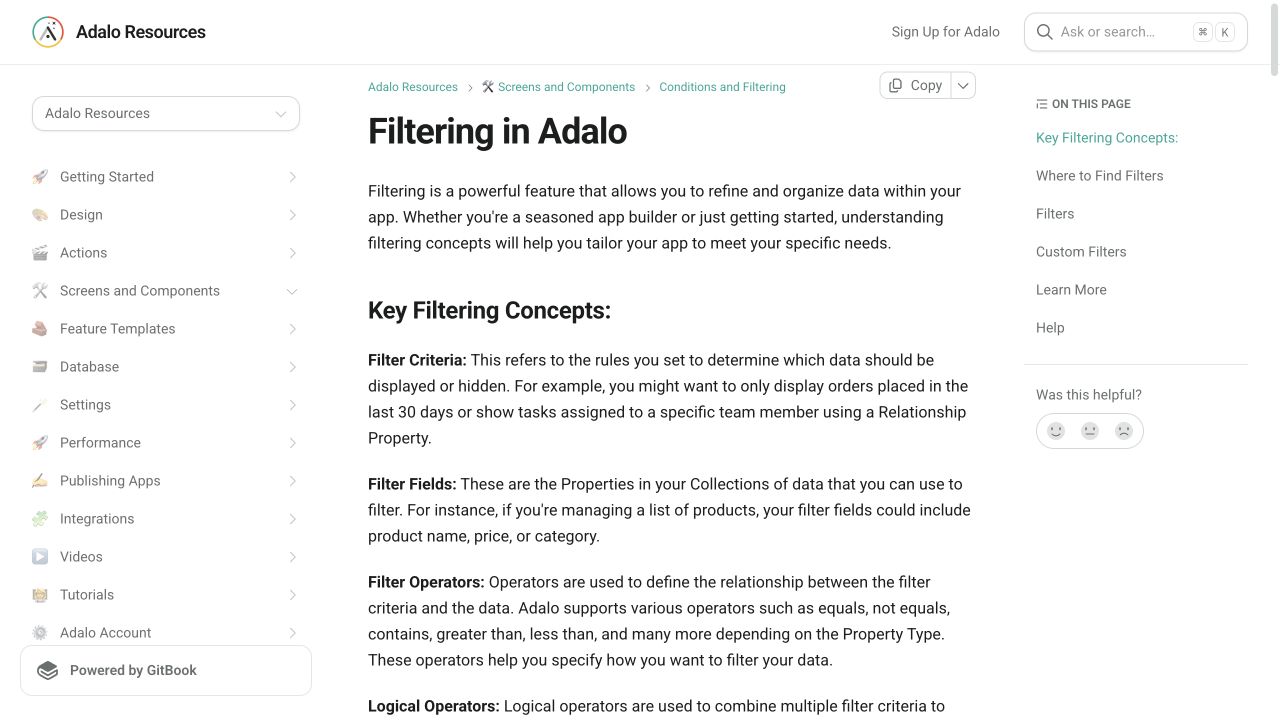
These captures document what Adalo currently publishes and what builders are reporting. They support the written guidance, but they are not a substitute for an end-to-end test in your own app.
What the Adalo community is reporting
These are concise editorial summaries of public forum posts, not endorsements or independently reproduced results.
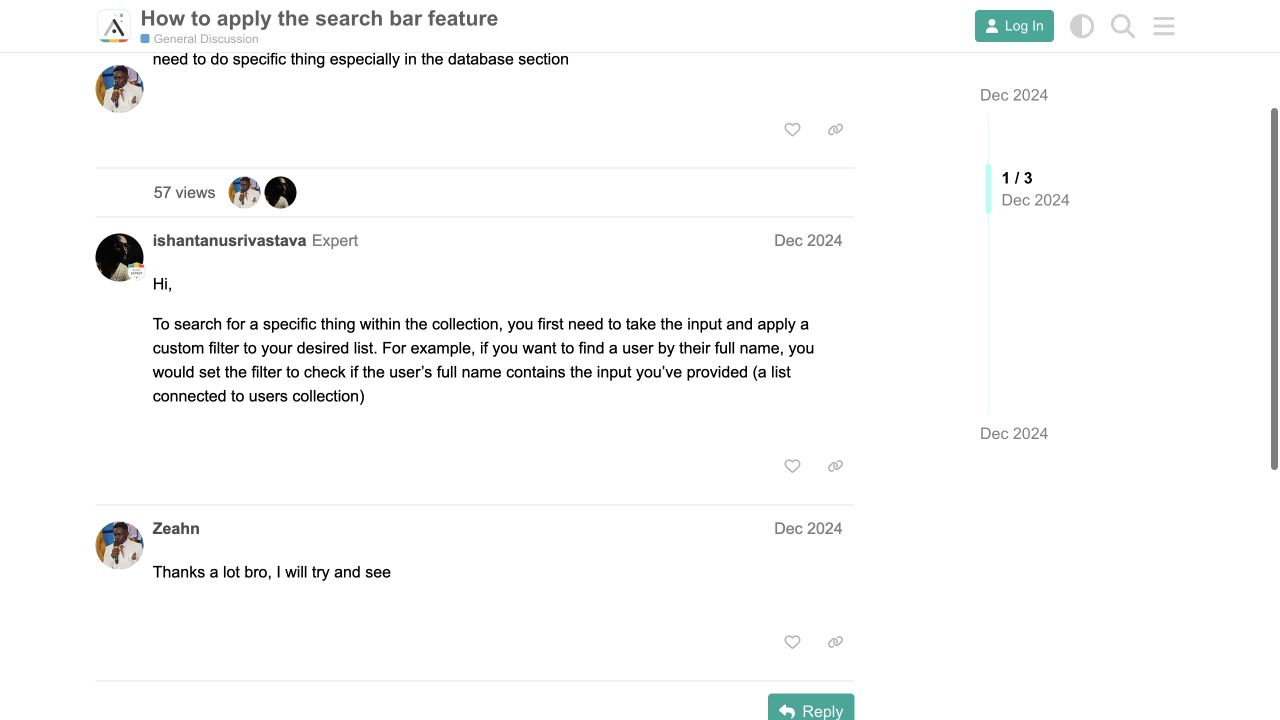
How to apply the search bar feature
The reply describes taking a text input and filtering the desired collection list where a property such as full name contains that input.
Boundary: This demonstrates substring filtering, not fuzzy matching, relevance ranking, typo tolerance, or full-text search.
ishantanusrivastava · December 2024
Sources and status
This page was last reviewed on Aug 16, 2026. Its current status is Verified from current public evidence.
Verification owner: Adalocado editorial. Next review: Nov 12, 2026.
Changelog
Clarified substring-search limits, performance escalation, and the Collection Permissions boundary.
Added current filtering screenshots and a forum example of input-driven Contains search.
Written and maintained by the Adalocado editorial team under the editorial and verification policy.
Did this solve your problem?
One-click check
We’ll handle the tech. You can exhale.
Bugs fixed. Updates shipped. Publishing handled.
$97/mo for your first 3 months.
Cancel anytime. That’s about 90% off the usual cost. 🤯
- Bug fixes and troubleshooting
- App updates and integrations
- Publishing and store releases
Bring us the messy version.
Describe what you expected, what happened instead, and what you already tried.