How do you use geolocation in Adalo?
Store Location values, compare distance reliably, handle device permission, and design nearby lists without mistaking formatted addresses for geographic data.
Short answer
Use an Adalo Location property for places you need to search by distance. Capture or select a location, store it on the relevant record, and use location-aware filtering or display values such as the full address.
Original walkthrough
May 21, 2022
The intended outcome
Records with valid location data that can support nearby results and human-readable addresses.
Use a Location property when the app needs geographic meaning; a plain address string cannot power a distance comparison. Test with two known places and an intentionally wide radius before tuning the real experience. The expanded answer makes the two-point contract visible, defines what happens to records with missing locations, and treats device permission as a user choice with manual and broader-result fallbacks. It does not claim that a static-location example verifies live movement tracking.
Requirements
- A collection with a Location property
- Location permission when current device location is used
- Records containing real location values
Step by step
Step 1: Use the correct property type
Add a Location property rather than storing the address only as text. Location sub-properties can expose values such as Full Address.
Step 2: Capture a location
Populate the Location property through the appropriate location or address input in your current builder flow.
Step 3: Confirm the stored value
Inspect sample records before debugging the interface. A missing location cannot produce useful nearby results.
Step 4: Display the address
Bind visible text to the record’s Location → Full Address or another relevant location sub-property.
Step 5: Apply the location rule
Use the available location operator, such as within a distance, with a known reference location.
Step 6: Handle permission and empties
Provide a manual alternative if device location is unavailable and exclude or label records with missing locations.
The underlying logic
A formatted address is presentation; a Location property carries geographic meaning used by location operators.
Nearby results require two valid points: the record location and the reference location.
Location permission is a user choice, so the experience needs a fallback.
Data model
| Collection | Important properties | Relationships |
|---|---|---|
| Places | Name, Location, Address label | Optionally belongs to one owner or category |
What changed?
- The refreshed answer separates human-readable addresses from geographic Location values.
- The answer now defines the two-point distance contract and a permission-safe fallback path without claiming live tracking.
Two points are required
A distance comparison needs a valid stored Location for the record and a valid reference Location for the search. A label that looks like an address is not proof that either value is geographic. Test with two known places, temporarily use a wide radius, and verify the nearby record appears before tuning the real threshold.
Design permission as a choice
Ask for current location only when the user starts a nearby action and explain the benefit in that moment. If permission is denied or unavailable, preserve the task with a typed location, a saved location, or broader unfiltered results. Never render an empty nearby list as though it proves that nothing exists.
State the distance contract
Show the unit next to the radius and keep it consistent with the interface. Records without a Location need an explicit policy: exclude them from nearby results, label them as location unavailable, or place them in a separate broader view. The 2025 forum report supports filtering static stored locations; it does not establish live movement tracking.
Common failure modes
Check that both stored records and the reference value are real Location values, then temporarily widen the distance.
Verify the record has a location and bind to the correct location sub-property, such as Full Address.
Explain why it is needed, request permission in context, and offer a typed location or broader results.
Testing checklist
0 of 8 checked on this device
Current limitations
- Location results depend on permission, valid stored Location values, and platform support.
Screenshot evidence
These captures document what Adalo currently publishes and what builders are reporting. They support the written guidance, but they are not a substitute for an end-to-end test in your own app.
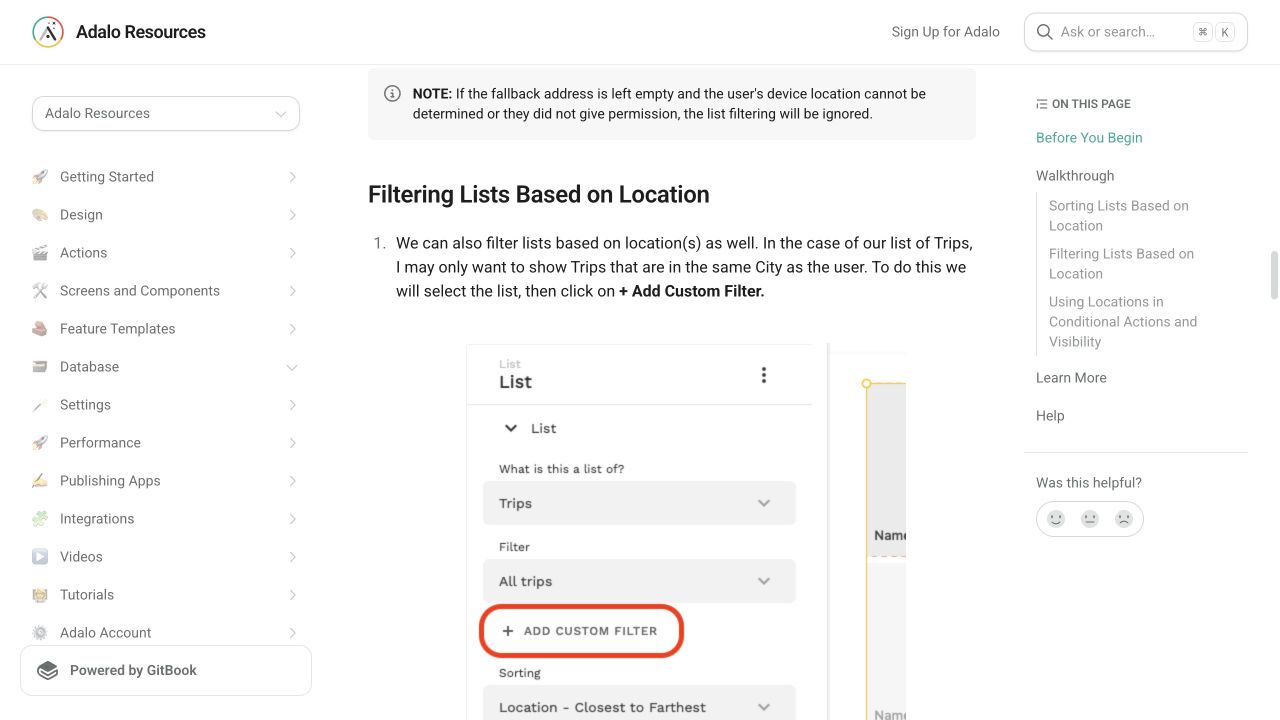
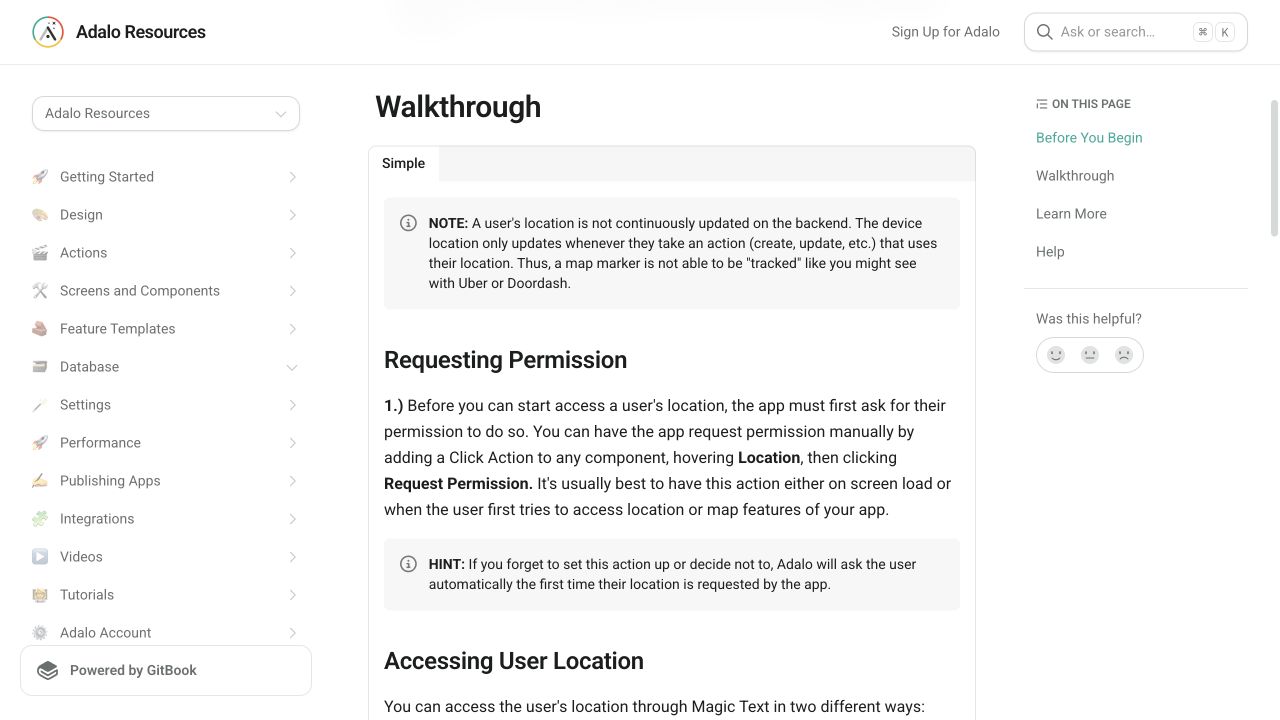
What the Adalo community is reporting
These are concise editorial summaries of public forum posts, not endorsements or independently reproduced results.
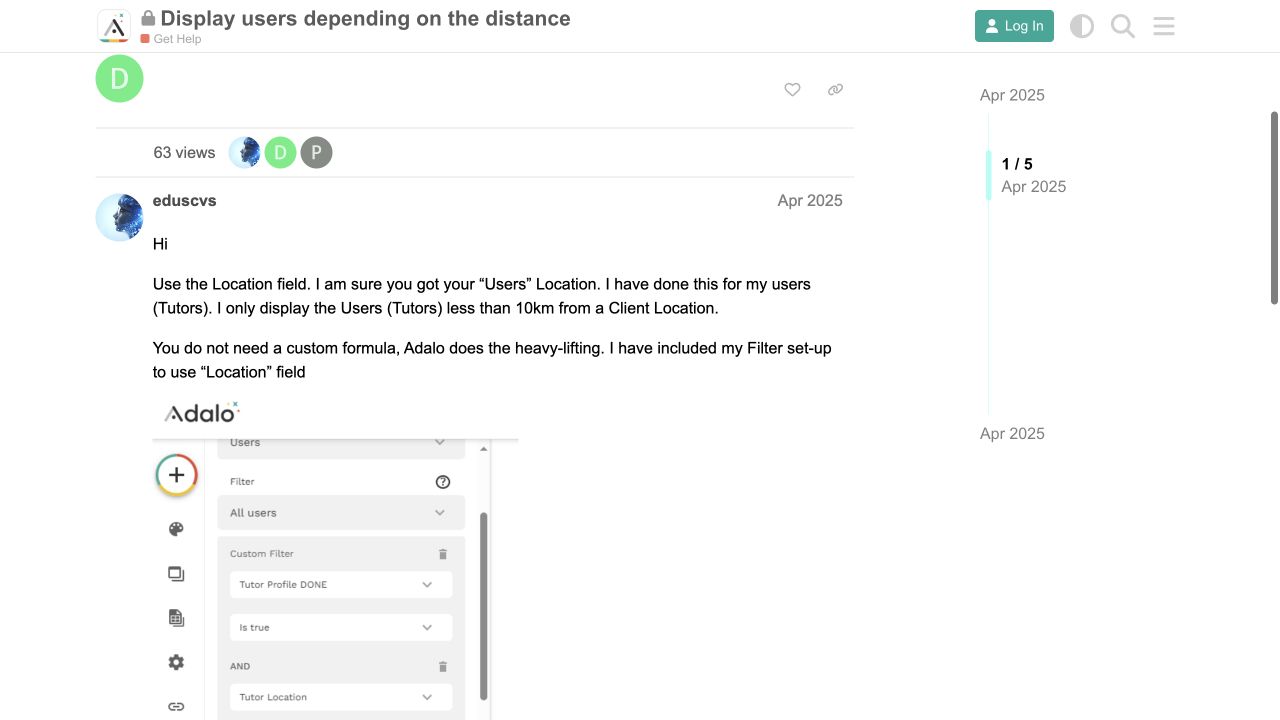
Display users depending on the distance
A builder reports using the Location field to show tutors within 10 km of a client location without a custom distance formula.
Boundary: The same thread says the example uses static residence locations and does not establish real-time moving-location behavior.
eduscvs · April 2025
Sources and status
This page was last reviewed on Aug 13, 2026. Its current status is Verified from current public evidence.
Verification owner: Adalocado editorial. Next review: Oct 12, 2026.
Changelog
Added a two-point distance diagnostic, permission and privacy fallback guidance, unit clarity, and missing-location policy.
Added official location captures and an April 2025 distance-filtering forum report.
Written and maintained by the Adalocado editorial team under the editorial and verification policy.
Did this solve your problem?
One-click check
We’ll handle the tech. You can exhale.
Bugs fixed. Updates shipped. Publishing handled.
$97/mo for your first 3 months.
Cancel anytime. That’s about 90% off the usual cost. 🤯
- Bug fixes and troubleshooting
- App updates and integrations
- Publishing and store releases
Bring us the messy version.
Describe what you expected, what happened instead, and what you already tried.