How do you build a quiz in Adalo?
Model questions and choices, record the selected answer, show progress, and calculate a result without tangling the screen flow.
Short answer
Model Questions separately from Answers, relate each answer to its question, and store the user’s selected answer in a response or session record. Use a question detail screen or list state to move through the quiz.
Original walkthrough
Jul 3, 2021
The intended outcome
A repeatable quiz flow with separate question data, answer choices, user responses, and an explainable score.
A durable quiz needs four responsibilities: questions hold prompts, choices belong to questions, sessions represent attempts, and responses record selections. That model makes progress, retakes, scoring, and duplicate protection explainable. The expanded answer defines the record-level invariant that prevents double scoring, preserves past attempts instead of overwriting them, and supplies a small known-data fixture for checking results. Current public documentation and a forum scoring example support the building blocks, while the full workflow remains explicitly untested end to end.
Requirements
- Questions collection
- Answer Choices collection related to Questions
- Quiz Sessions or Responses collection
- Sample questions and choices
Step by step
Step 1: Separate the records
Create Questions and Answer Choices. Relate many choices to one question; mark the correct choice with a true/false property when appropriate.
Step 2: Create a session
Create one Quiz Session when the user begins so responses and the final score belong to a single attempt.
Step 3: Display one question
Show the current question and a filtered list of choices whose Question relationship matches it.
Step 4: Save the selection
On tap, create or update a Response related to the session, question, selected choice, and logged-in user.
Step 5: Advance predictably
Use an explicit question order or next-question relationship rather than relying on an unstable implicit record order.
Step 6: Calculate the result
Count correct responses or update the session score as answers are submitted; prevent repeat taps from inflating it.
The underlying logic
Questions describe prompts; choices describe selectable options; responses describe what one user selected.
A session groups responses from one attempt and makes history, retakes, and progress possible.
Explicit order values make next/previous behavior deterministic.
Data model
| Collection | Important properties | Relationships |
|---|---|---|
| Questions | Prompt, Order | Has many choices and responses |
| Choices | Label, Correct | Belongs to one question |
| Quiz Sessions | Started, Completed, Score | Belongs to one user; has many responses |
| Responses | Submitted Date | Belongs to session, question, and selected choice |
What changed?
- The refreshed model separates attempts and responses so retakes and duplicate protection are explicit.
- The answer now defines one response per session and question as the scoring invariant, with a known-data score fixture.
Prevent duplicate responses
Treat one response for one session and one question as the invariant. Before creating a response, look for an existing record with both relationships. If it exists, update that record or block the action; if it does not, create it. The score should derive from the saved responses or change only after this guard passes, so a rapid double tap cannot award points twice.
Make retakes explicit
A retake should create a new Quiz Session rather than deleting or overwriting the earlier attempt. Responses remain attached to their original session, which preserves history and makes the result reproducible. Store start and completion states on the session so an interrupted attempt can resume without pretending it is complete.
Verify the score
Create a tiny fixture with three questions: one correct answer, one incorrect answer, and one unanswered question. Confirm the response count, correct-response count, displayed percentage, and completion rule separately. This turns scoring from a chain of screen actions into a result that can be checked against known data.
Common failure modes
Filter Answer Choices where Question equals Current Question.
Create one response per question/session or condition the scoring action on there being no existing response.
Add a numeric Order property and sort consistently, or relate each question to its next question.
Testing checklist
0 of 8 checked on this device
Current limitations
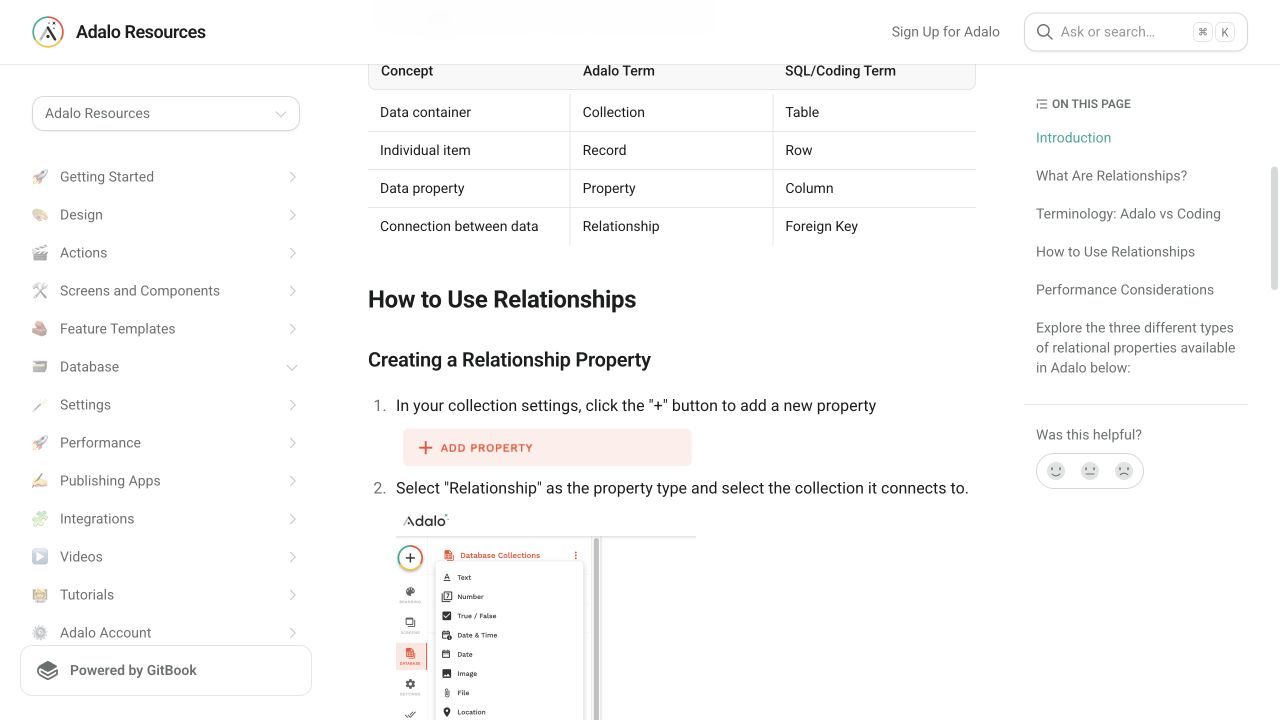
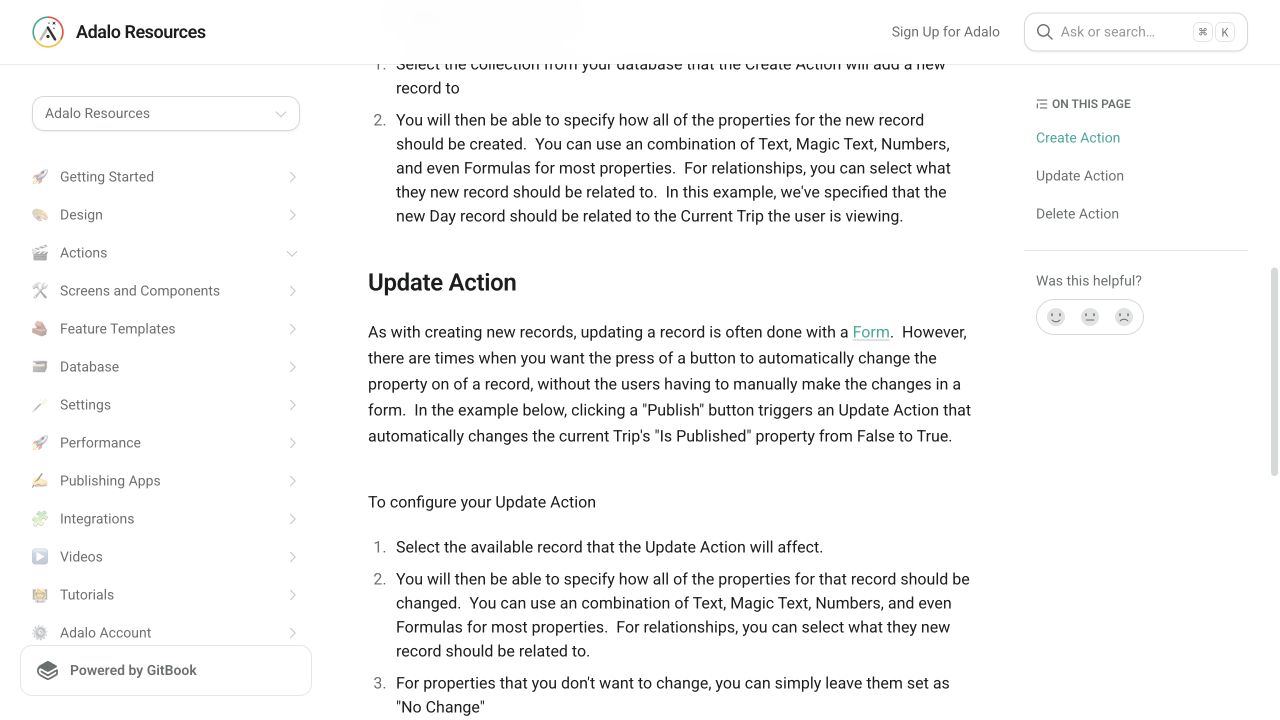
- Public evidence supports the underlying relationships and update action, but the complete quiz has not been reproduced end to end.
Screenshot evidence
These captures document what Adalo currently publishes and what builders are reporting. They support the written guidance, but they are not a substitute for an end-to-end test in your own app.
What the Adalo community is reporting
These are concise editorial summaries of public forum posts, not endorsements or independently reproduced results.
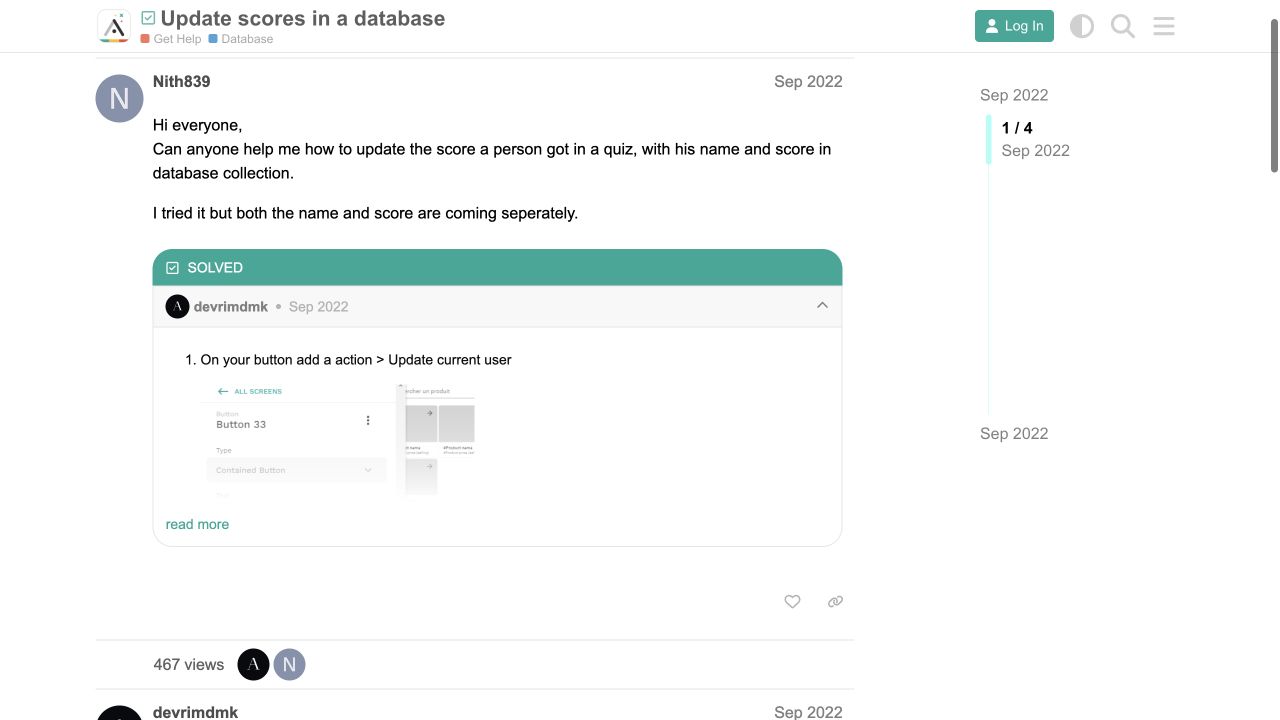
Update scores in a database
The answer describes updating a score property with Magic Text and a formula after the correct-answer interaction.
Boundary: This older thread supports the scoring primitive only; it does not verify the complete session-and-response architecture proposed here.
devrimdmk · September 2022
Sources and status
This page was last reviewed on Aug 13, 2026. Its current status is Verified from current public evidence.
Verification owner: Adalocado editorial. Next review: Oct 12, 2026.
Changelog
Added duplicate-response protection, explicit retake and resume behavior, and a small deterministic scoring test fixture.
Added public evidence for relationships, update actions, and scoring; indexed with the reproduction boundary visible.
Written and maintained by the Adalocado editorial team under the editorial and verification policy.
Did this solve your problem?
One-click check
We’ll handle the tech. You can exhale.
Bugs fixed. Updates shipped. Publishing handled.
$97/mo for your first 3 months.
Cancel anytime. That’s about 90% off the usual cost. 🤯
- Bug fixes and troubleshooting
- App updates and integrations
- Publishing and store releases
Bring us the messy version.
Describe what you expected, what happened instead, and what you already tried.