
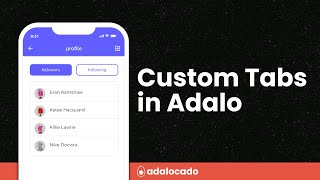
answerBeginner10:56
How do you create tabs in Adalo?
Choose between Adalo screen navigation and state-like tab content, then keep active styling, focus, context, and responsive behavior clear to users.
Sources checked
Reviewed
7.9K views
Build screens that remain clear across phone, tablet, and desktop.
10 resourcesChoose between Adalo screen navigation and state-like tab content, then keep active styling, focus, context, and responsive behavior clear to users.
Reviewed

Install Adalo’s current Lottie Files component, use compatible JSON, configure looping or completion actions, and protect accessibility and builder performance.
Reviewed
Use Codex to develop a small Adalo component for choosing pickup slots, define its builder settings and actions, and test the boundary between selection and booking.
Reviewed
Set an Adalo app to portrait, landscape, or automatic rotation from App Settings, then verify the choice on the devices your release supports.
Reviewed
Enable Sticky while scrolling on the chat composer, verify its parent hierarchy, and test the pinned layout at every supported screen size.
Reviewed
Inspect the component tree for an unintended parent, remove the nested component, and align overlapping controls without dragging them into another container.
Reviewed
Group related text and dividers, give their frames matching geometry and layout rules, and test the group continuously across responsive widths.
Reviewed
Add a lightweight vertical divider with Adalo’s marketplace component, then set its color, thickness, height, and responsive placement.
Reviewed
Use Adalo’s Tabs Container to switch between sections on one screen, expose the selected tab, and control content with actions or visibility rules.
Reviewed
Bind Adalo’s Vertical Progress Bar to current and maximum numeric values, then control direction, color, rounding, and responsive placement.
Reviewed
Begin with the smallest record set that can demonstrate the intended result. Confirm the collection and property types, remove optional filters or conditions, and display one plain value from the current record. Once that basic path works, restore one rule at a time. The first rule that changes the expected result identifies the layer worth investigating.
Keep query logic, component visibility, and actions separate while debugging. A query decides which records are available. Visibility decides whether one interface element appears. An action changes data or navigation state. Treating those as different responsibilities makes it easier to explain both the successful path and the empty, denied, or missing-data states.
The resources above label their evidence and limitations individually. Use the reviewed date to judge freshness, follow current official sources for product behavior, and treat dated forum reports as examples of builder experience rather than guarantees. Finish with the testing checklist on the relevant page, including at least one record that should pass and one that should fail.
Tell us what should happen, what actually happens and where the two part ways.