How do you use Lottie animations in Adalo?
Install Adalo’s current Lottie Files component, use compatible JSON, configure looping or completion actions, and protect accessibility and builder performance.
Short answer
Install the documented Lottie Files component from Adalo’s Marketplace, paste compatible Lottie JSON, and configure looping, preview, or completion actions for a specific feedback state. Test every target platform and keep the same meaning available without motion.
Original walkthrough
Jul 3, 2021
Caption-derived jump points
The intended outcome
A purposeful animation that communicates state, completes predictably, and remains usable across target platforms.
Install the documented Lottie Files component from Adalo’s Marketplace, download a compatible Lottie JSON asset, and paste the JSON into the component. Decide whether the animation should loop, preview in the builder, respond to a tap, or run a completion action. Use motion to communicate a real state—loading, confirmation, progress, or celebration—and preserve the same meaning in text or static interface content. The original walkthrough remains useful for its message-confirmation pattern, but current official instructions add an important compatibility gate: check the animation’s supported features on every intended platform before release. Keep looping animations limited and disable builder animation when a screen becomes difficult to edit. Test completion actions for duplicate firing and confirm that the experience still makes sense when motion is reduced or unavailable.
Requirements
- The current Lottie Files marketplace component
- A licensed Lottie JSON asset
- A defined loading, confirmation, progress, or celebration state
Step by step
Step 1: Name the feedback
Decide exactly what state the animation communicates and write the accompanying non-motion message first.
Step 2: Install the component
Open Adalo’s Marketplace, install Lottie, and place the component on the intended screen.
Step 3: Check the asset
Download Lottie JSON only after its feature-support check covers every target platform.
Step 4: Paste and configure
Paste the JSON, then choose looping, builder preview, click actions, and animation-completion actions deliberately.
Step 5: Test completion
For a one-time confirmation, verify that the animation finishes once and the next action fires exactly once.
Step 6: Protect performance
Limit simultaneous loops and turn off builder animation if a Lottie-heavy screen becomes difficult to edit.
The underlying logic
Motion should clarify a state; a loop with no state change can make the interface feel stuck.
A completion action belongs after the animation only when the underlying data action has already succeeded.
Builder preview is an editing aid, not evidence that every native and web target renders the same feature set.
Data model
| Collection | Important properties | Relationships |
|---|---|---|
| Optional UI state | Animation purpose, completion state, or related record status | Usually none; relate state only when the animation reflects persisted data |
What changed?
- Current official instructions explicitly require checking Lottie JSON feature compatibility across target platforms.
- The current component exposes looping, builder preview, click actions, and animation-completion actions in its documented settings.
- Current staff guidance adds an explicit builder-performance warning for many continuously looping animations.
Use the current component path
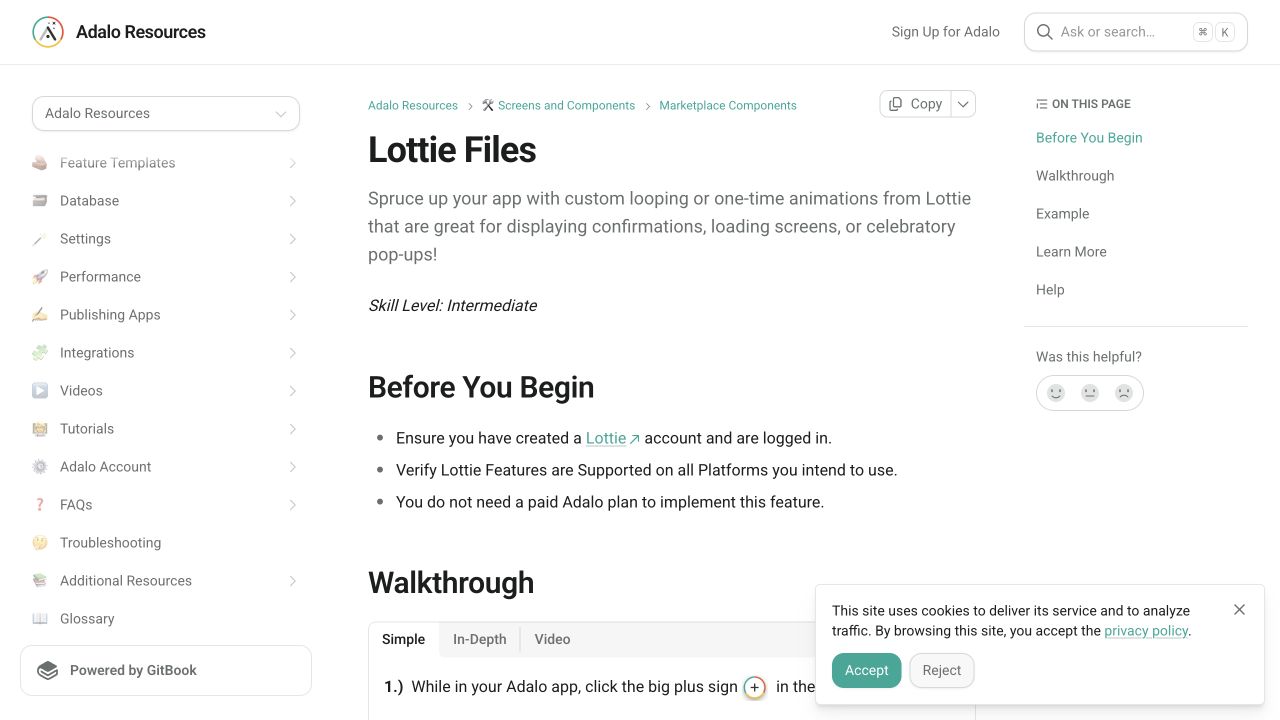
The current official flow is Marketplace → Lottie → install, followed by compatible Lottie JSON pasted into the component. The 2021 walkthrough is architectural history, while the official guide is the current control reference.
Treat compatibility as a release gate
Lottie features are not guaranteed to render identically everywhere. Check the asset before download and preview every target platform rather than assuming a successful builder preview is sufficient.
Keep motion bounded
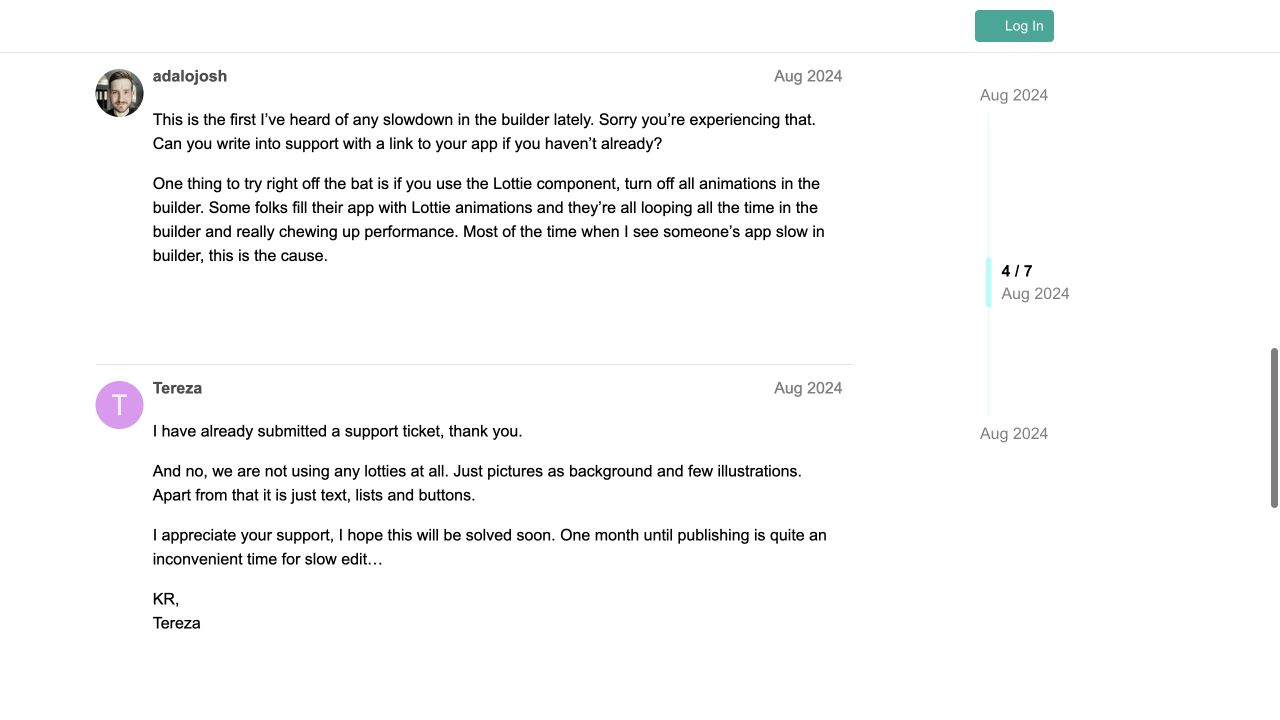
Loop only when the state itself continues. For confirmations, run once and use the completion action carefully. Adalo staff have also documented builder slowdown when many animations loop during editing.
Common failure modes
Re-check JSON compatibility, paste the complete JSON, and test the same asset on each target platform.
Disable builder animation and reduce the number of components looping simultaneously.
Test the completion path with instant navigation disabled and ensure only one component owns the action.
Testing checklist
0 of 9 checked on this device
Current limitations
- This page is verified from current public documentation and forum evidence, not from a hands-on Adalo 3.0 reproduction.
- Lottie feature support varies by animation and target platform, so visual parity must be checked before release.
- Large or numerous continuously looping animations can make the builder slow even when the published app behaves differently.
Screenshot evidence
These captures document what Adalo currently publishes and what builders are reporting. They support the written guidance, but they are not a substitute for an end-to-end test in your own app.
What the Adalo community is reporting
These are concise editorial summaries of public forum posts, not endorsements or independently reproduced results.
Editing of the app is really slow
Adalo staff identify many continuously looping Lottie animations as a common cause of builder slowdown and recommend turning animation off in the builder.
Boundary: The report concerns builder performance, not a universal runtime limit; test the actual target platforms separately.
adalojosh · August 6, 2024
Sources and status
This page was last reviewed on Aug 13, 2026. Its current status is Verified from current public evidence.
Verification owner: Adalocado editorial. Next review: Sep 13, 2026.
Changelog
Promoted after adding current official guidance, public screenshots, staff performance evidence, and platform test cases.
Written and maintained by the Adalocado editorial team under the editorial and verification policy.
Did this solve your problem?
One-click check
We’ll handle the tech. You can exhale.
Bugs fixed. Updates shipped. Publishing handled.
$97/mo for your first 3 months.
Cancel anytime. That’s about 90% off the usual cost. 🤯
- Bug fixes and troubleshooting
- App updates and integrations
- Publishing and store releases
Bring us the messy version.
Describe what you expected, what happened instead, and what you already tried.