Can Adalo Web View detect postMessage or URL changes?
Confirm what Adalo's native Web View can report back to an app, then choose a webhook, return link, status check, or custom component for an embedded widget.
Short answer
Treat Adalo's stock Web View as display-only: as of September 30, 2026, it has no documented postMessage or URL-change action. For Stripe, Calendly, and similar embeds, use a provider webhook to update a status record, then let Adalo check it after a return link or Done button. Build a custom component only when live browser events are essential.
The intended outcome
A supportable integration plan that does not mistake an iframe message or success redirect for authoritative completion and still gives native users a clear return path.
The practical dividing line is whether the browser event is merely useful or is the only proof that something happened. If a provider has a webhook or status API, let that server-side signal update the record and make the app a reader of the result. If the provider exposes only a JavaScript event, the stock Web View is the wrong boundary: a custom component must receive, validate, and deliberately export that event into Adalo.
Requirements
- The provider's documentation for redirects, webhooks, API status, and embedded JavaScript events
- A real test account for the third-party widget
- A decision about whether completion must be immediate or can be confirmed after a short return step
- A server-side endpoint or automation when using webhooks
- A published deep link or an in-app Done or Refresh button for the return experience
- Real iOS and Android test builds
- A React and React Native developer if a custom component is required
Step by step
Step 1: List every completion signal the provider offers
Check for a signed webhook, a status API, success and cancel redirect URLs, and a JavaScript event. Record which signals are server-authenticated and which exist only in the browser. Do not begin with the embed code alone.
Step 2: Use the server signal when one exists
For Stripe, listen for the appropriate Checkout event. For Calendly, subscribe to invitee.created and invitee.canceled. Let the provider notify a server endpoint and verify the request according to that provider's documentation.
Step 3: Create a pending session before opening the widget
Create an Integration Session tied to the logged-in user and the Order or Booking. Give it a random public correlation key and save the provider object ID when available. Start it as pending.
Step 4: Open the hosted experience
Use the provider's hosted page in an external or in-app browser when that is supported. Use the stock Web View only when the page permits embedding and no event needs to cross into Adalo during the session.
Step 5: Update status from the backend
When the verified webhook arrives, match it by provider object ID or correlation key, process it idempotently, and update the authoritative Order or Booking plus the Integration Session. Keep Adalo API keys and provider secrets on the server.
Step 6: Give the user a return path
Use a provider success URL that reaches an Adalo deep link when the provider supports it, or show a clear I've finished button after the browser closes. That button should check status; it should not mark the operation successful by itself.
Step 7: Use a custom component only for a real event requirement
If the integration is JavaScript-only, build a cross-platform component that owns the Webview, listens for native onMessage and navigation changes, and exposes Adalo action props with typed arguments. A wrapper page you control can validate iframe message origins and relay only the allowed event.
Step 8: Test interruption and replay
Repeat the flow with cancellation, back navigation, delayed webhooks, duplicate webhooks, app backgrounding, process termination, and no network. A completed server record must recover the correct state even if the browser event never reaches the app.
The underlying logic
The stock Web View and Adalo's action layer are separate unless the component explicitly exports an action or value. A page can call window.postMessage—or window.ReactNativeWebView.postMessage in a compatible React Native host—but nothing reaches Adalo when the host component does not listen and expose the result.
The HTML Renderer is more than plain text: it renders supported HTML, media, and iframes and exposes On Link Pressed. Its security model strips script tags and inline event handlers, so it cannot act as a general host for a scripted widget bridge.
A success URL, postMessage event, or tap on Done is a user-interface signal. It can improve navigation, but it can be forged, lost, delivered twice, or missed when the app is suspended. A signed provider webhook or a server-side status query is the safer source of truth.
A custom Adalo component can connect browser events to the app because Adalo's developer API lets a component call configured actions and pass arguments into Magic Text. The component still needs separate web and native behavior and must validate the sender, payload, and session before exposing an event.
Data model
| Collection | Important properties | Relationships |
|---|---|---|
| Integration Sessions | Public correlation key, provider, provider object ID, status, result summary, created time, updated time, and processed-event ID; never store provider secrets in client-readable fields | Each session belongs to one User and optionally one Order, Booking, or other business record |
| Orders or Bookings | Amount or event type, authoritative status, provider reference, completed time, and failure or cancellation reason | Belongs to one User and can have one or more Integration Sessions for retries |
What still needs checking?
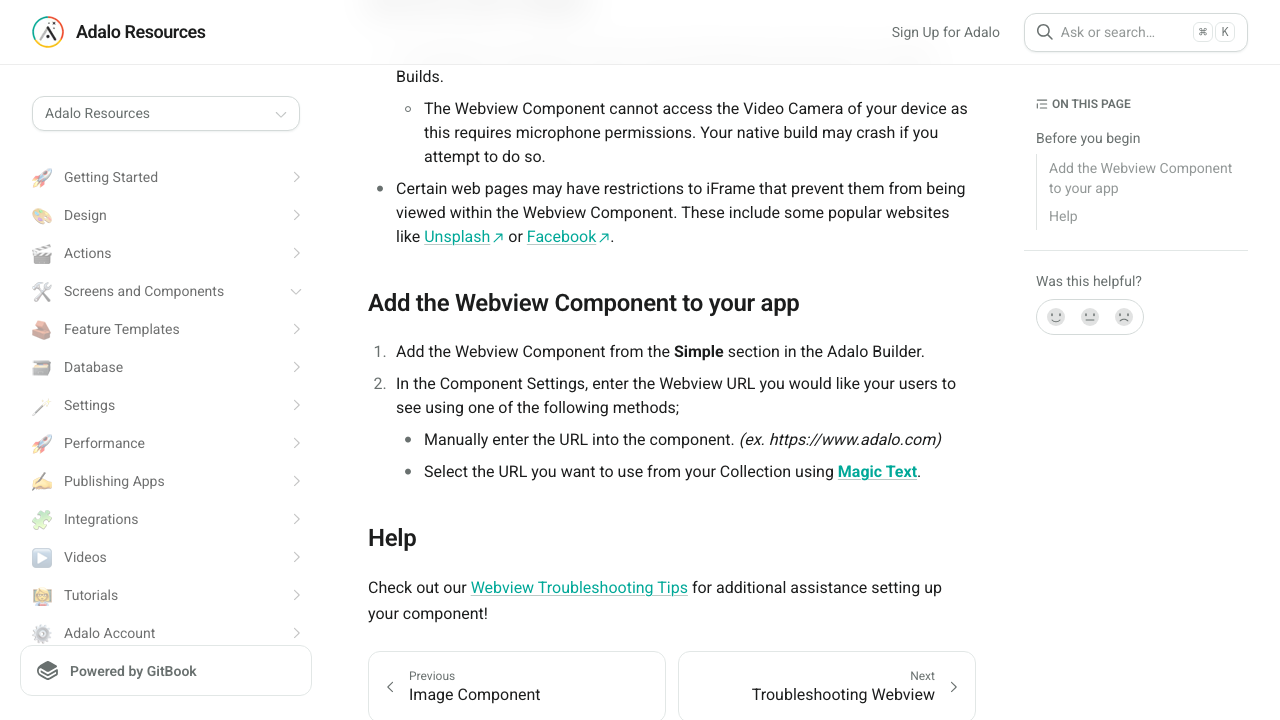
- The current native Webview documentation still describes only a URL field and does not document an On Message Received or On URL Change action.
- The newer HTML Renderer can fire an On Link Pressed action, but it strips script tags and inline event handlers, so it is not a general JavaScript event bridge.
- The migrated roadmap includes an open URL-change action request dating to 2021, with no public delivery date or commitment shown.
- Adalo's component developer documentation does support action props, action arguments, and component data, which makes a purpose-built bridge technically possible as a custom component.
Which workaround should you choose?
Choose webhook plus status check when the provider offers a server callback. This is the best default for payments, bookings, signatures, and other operations that matter after the browser closes. Add a deep link or Done button for convenience, not correctness.
Choose redirect matching only when the provider offers success and cancel URLs and the result is low risk—or when a custom component can intercept the redirect while the backend independently confirms completion. Choose a custom component when the provider exposes only JavaScript events or when an immediate in-app action is essential.
What a custom bridge needs to do
On native iOS and Android, the component owns a React Native WebView and handles its message and navigation callbacks. It then calls an Adalo action prop with safe text arguments such as event type, session key, and a sanitized result. On web, it needs a separate iframe or web implementation and a window message listener.
If the third-party widget lives in an iframe inside a wrapper page, the wrapper should allowlist the widget origin, check the payload, and relay only known events to the native host. Never accept every origin, pass through arbitrary commands, or treat a client message as payment proof.
Stripe and Calendly examples
For Stripe Checkout, create the Checkout Session on a server, associate it with the Order or Integration Session, and listen for Checkout completion and delayed-payment events. Stripe explicitly warns that fulfillment based only on the landing-page redirect is unreliable. After the user returns, Adalo reads the backend status.
For Calendly, subscribe to invitee.created and invitee.canceled, then update the matching Booking. The embedded scheduler can stay a presentation layer. A Done button can refresh the Booking after the widget closes, and a delayed webhook can leave the screen in a truthful pending state until confirmation arrives.
For native payments, integration architecture is only half the decision. Adalo's current Stripe guidance says Stripe is for physical products or services in native apps; digital products or services require an in-app purchase path.
Roadmap status
There is a public feature request titled Make action when URL in Webview changes. It dates to February 2021 and is currently labeled open. That confirms the use case is known, but it is not evidence of a scheduled release.
No public Adalo source reviewed for this answer announces native postMessage listening or gives a delivery date for URL-change actions. Build against today's documented behavior and recheck the Webview documentation and roadmap before each release.
Common failure modes
That is expected with the stock Web View. Move the completion logic to a provider webhook or replace the stock component with a tested custom component that owns the Webview and exposes an Adalo action.
A redirect inside the stock Web View remains web navigation. Prefer an external or in-app browser plus an Adalo deep link, or use a custom component that intercepts the allowed success URL and calls a configured action.
Do not use the deep link as proof of success. Put a normal HTTPS confirmation page at the provider return URL, rely on the webhook to save status, and give the user a button to return to or refresh the app.
Keep the session pending, show a clear processing state, and let the user retry the status check. Do not convert pending to complete on the client.
Store the provider event ID or object ID and make processing idempotent. Repeated delivery should return success without applying the business change twice.
Ask for its exact event contract, current update date, source of support, and a demo in published iOS and Android builds. Confirm whether it handles postMessage, top-level navigation, iframe messages, or only URL text matching; those are different capabilities.
Check what is being sold. Adalo's current guidance limits Stripe in native apps to physical goods or services and directs digital goods or services to in-app purchase components.
Confirm the webhook subscription includes invitee.created, that its scope covers the correct user or organization, and that the booking can be correlated to the pending Adalo user or session.
Testing checklist
0 of 17 checked on this device
Current limitations
- Adalo's current Webview page documents URL input but does not explicitly publish a sentence saying that postMessage and URL-change events are unsupported; the conclusion comes from the documented controls, the still-open request, and the absence of an exposed action.
- The editorial team did not inspect every private component or every listing visible inside every Adalo account, so this page cannot prove that no third-party developer offers a private bridge.
- The historical Better WebView report is not evidence of a currently maintained marketplace component and does not demonstrate window.postMessage support.
- A webhook or redirect is available only when the embedded provider offers it, and some provider webhook features require a paid plan.
- Deep links provide a route back into the app but do not prove that the external operation succeeded and do not guarantee that an embedded Webview will close itself.
- A custom bridge must be implemented, maintained, and tested separately for web, iOS, and Android; provider pages may also block framing or change their event contract.
- The Adalo Collections API is currently limited to Team and Business plans; an external backend or supported automation may be needed on other plans.
Screenshot evidence
These captures document what Adalo currently publishes and what builders are reporting. They support the written guidance, but they are not a substitute for an end-to-end test in your own app.
What the Adalo community is reporting
These are concise editorial summaries of public forum posts, not endorsements or independently reproduced results.
Native Web View: catch postMessage or detect URL changes?
A maker asks whether the native Web View can pass postMessage events or navigation changes into Adalo, and whether a current marketplace bridge or roadmap commitment exists.
Boundary: The thread had no replies when this page was reviewed, so it documents the use case rather than confirming platform behavior.
Emeka · September 2026
Make action when URL in Webview changes
The public roadmap contains a feature request for running an Adalo action when Webview navigation changes, including OAuth completion flows.
Boundary: The request is still labeled open; an open request is not a scheduled feature or release commitment.
franklbt · February 2021
Better Deep Linking payment return
A maker reported a working payment-return flow with PragmaFlow's Better WebView by matching unique text in success and failure redirect URLs and navigating to Adalo screens.
Boundary: This report is old, covers URL matching rather than window.postMessage, and does not prove that the component is currently maintained or available.
HApp, paulh, and TKOTC · January 2022
PragmaFlow Better Web View maintenance warning
A community reply says PragmaFlow had stopped working on Adalo and suggests contacting the developer directly about Better Web View.
Boundary: This is a community maintenance report, not an official marketplace removal notice or a current compatibility test.
Victor and get-the-memo · June 2023
Sources and status
This page was last reviewed on Sep 30, 2026. Its current status is Documented from current sources.
Verification owner: Erin Heart and Ana Morgan. Next review: Dec 30, 2026.
- Adalo forum: native Web View postMessage and URL-change question
- Adalo: Webview Component
- Adalo: HTML Renderer
- Adalo: Marketplace Components
- Adalo Developers: Component Actions
- Adalo Developers: Component Data
- Adalo Developers: Cross-Platform Compatibility
- Adalo roadmap: action when Webview URL changes
- Adalo forum: historical Better WebView payment-return example
- Adalo: Set Up Deep Linking
- Adalo: Collections API
- Adalo: Stripe
- Stripe: Handle post-payment events
- Calendly: Create a webhook subscription
Changelog
Published a source-backed answer and implementation decision tree for native Webview events, provider callbacks, and custom bridges.
Automatically organized and maintained by the Adalocado editorial team under the editorial and verification policy.
Report this answer.
Automated Answers still pass evidence and publication checks, but they can be wrong, outdated, unclear, or missing an important boundary. Send the exact correction and the editor will check the live page.
Did this solve your problem?
One-click check
We’ll handle the tech. You can exhale.
Bugs fixed. Updates shipped. Publishing handled.
$97/mo for your first 3 months.
Cancel anytime. That’s about 90% off the usual cost. 🤯
- Bug fixes and troubleshooting
- App updates and integrations
- Publishing and store releases
Bring us the messy version.
Describe what you expected, what happened instead, and what you already tried.